1. Ifihan
The House of Marley Get Together Go is a portable Bluetooth speaker designed for high-quality audio and outdoor durability. It features sustainable materials, multiple sound modes, and a robust, adventure-ready design.

Figure 1: Get Together Go Speaker in an outdoor environment.
Key features include IP67 waterproof and dustproof rating, up to 20 hours of playtime, customizable EQ modes, and Auracast multi-speaker pairing. The speaker is crafted from renewable bamboo and REGRIND silicone, reflecting a commitment to sustainable design.

Olusin 2: Pariview of main features including EQ settings, playtime, IP67 protection, and ambient lighting.
2. Package Awọn akoonu
Rii daju pe gbogbo awọn nkan wa ninu package:
- House of Marley Get Together Go Portable Bluetooth Speaker
- USB-C Ngba agbara Cable
- Itọsọna Ibẹrẹ kiakia (ko si ninu iwe afọwọkọ yii)
3. Eto
3.1 Gbigba agbara si Agbọrọsọ
- So okun gbigba agbara USB-C ti a pese si ibudo gbigba agbara ti agbọrọsọ.
- So opin okun USB pọ si ohun ti nmu badọgba agbara USB ibaramu (kii ṣe pẹlu).
- Ina Atọka gbigba agbara yoo tan imọlẹ lakoko gbigba agbara ati pipa nigbati o ba gba agbara ni kikun.
3.2 Titan / Pa a
- To power on, press and hold the Power button until the indicator lights activate.
- Lati pa agbara, tẹ mọlẹ Bọtini Agbara lẹẹkansii titi awọn ina Atọka yoo fi paa.

olusin 3: Iwaju view of the speaker, illustrating general layout and control area.
3.3 Sisopọ Bluetooth
- Rii daju pe agbọrọsọ ti wa ni titan.
- Press and hold the Bluetooth button on the speaker until the Bluetooth indicator light begins to flash, indicating pairing mode.
- Lori ẹrọ rẹ (foonuiyara, tabulẹti, ati bẹbẹ lọ), mu Bluetooth ṣiṣẹ ki o wa awọn ẹrọ to wa.
- Select "Get Together Go" from the list of devices.
- Ni kete ti a ti sopọ, ina Atọka Bluetooth yoo di to lagbara.
3.4 Auracast Multi-Speaker Pairing
The Get Together Go supports Auracast for connecting multiple compatible speakers for a larger sound experience. Refer to the official House of Marley website for detailed instructions on Auracast setup.
4. Awọn ilana Iṣiṣẹ
4.1 Audio Sisisẹsẹhin
- Once paired via Bluetooth, play audio from your connected device.
- Use the Volume Up (+) and Volume Down (-) buttons on the speaker to adjust the volume.
- Tẹ bọtini Play/Duro lati ṣakoso ṣiṣiṣẹsẹhin.

Figure 4: Speaker control panel for power, Bluetooth, volume, and playback.
4.2 Custom EQ Modes
The speaker features three customizable EQ modes to optimize sound for different environments:
- Marley Signature Sound: Iwontunwonsi iwe profile.
- Baasi didn: Enhanced low-frequency response.
- Ipo ita: Optimized for open-air listening.
To switch between EQ modes, briefly press the Power button while the speaker is on. The ambient lighting may change to indicate the active mode.

Figure 5: Speaker in an outdoor setting, demonstrating its durability and suitability for various environments, where EQ modes can be adjusted.
4.3 Ibaramu Lighting
The speaker includes ambient lighting at its base. This lighting can be toggled or adjusted by pressing a dedicated button (refer to the speaker's physical controls for exact button location, often integrated with power or EQ controls).
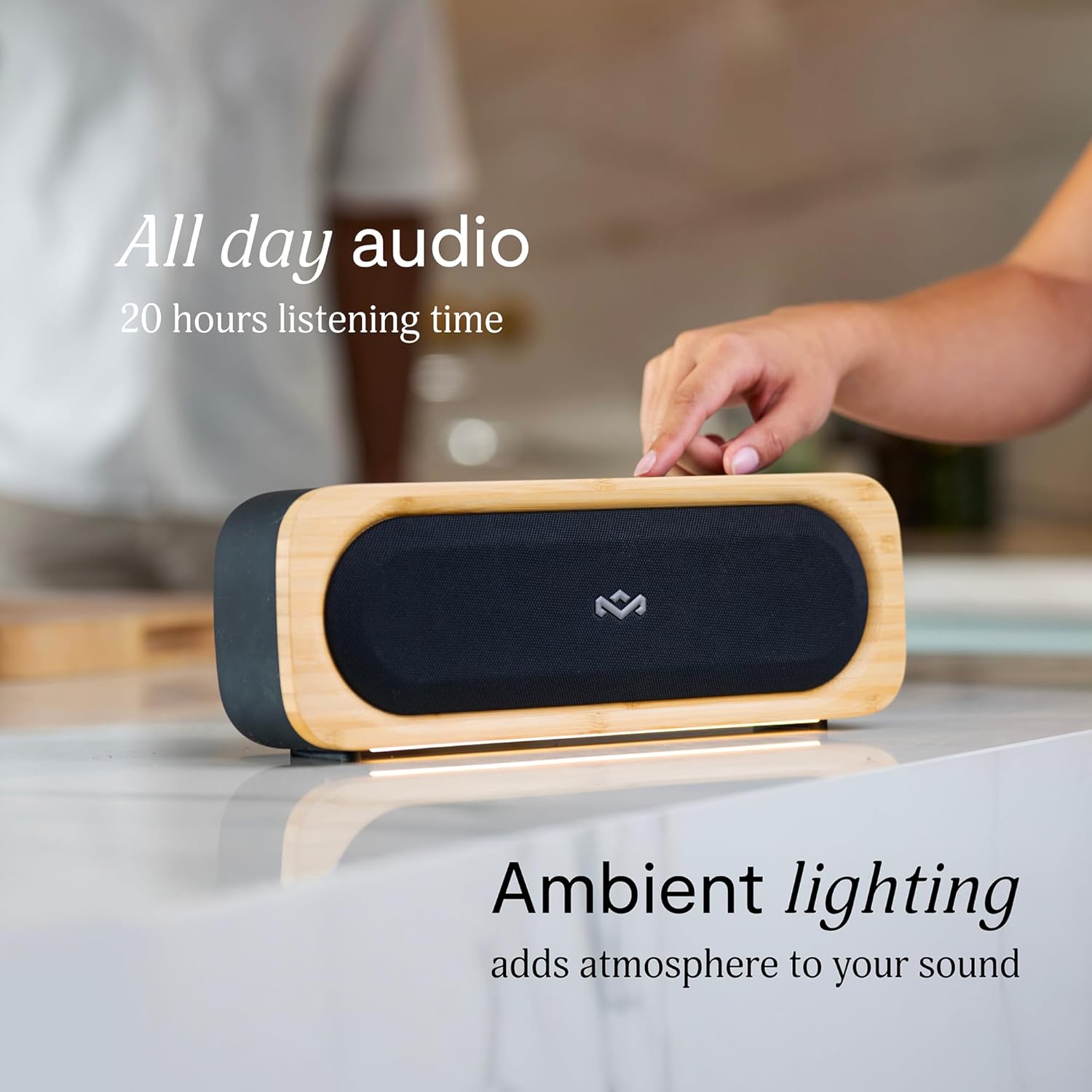
Figure 6: Speaker with ambient lighting active.
4.4 Ohun èlò ìṣí ìgò tí a ṣe sínú rẹ̀
A bottle opener is integrated into the speaker's design for convenience. Locate the bottle opener on the rear or side of the speaker and use it as you would a standard bottle opener.

Figure 7: Demonstrating the use of the built-in bottle opener.
5. Itọju
5.1 Ninu
- The speaker features a removable grill for easy cleaning. Gently detach the grill to clean any dust or debris from the speaker drivers.
- Pa ode agbọrọsọ nu pẹlu asọ, damp asọ. Yẹra fun lilo awọn kẹmika lile tabi awọn afọmọ abrasive.
- Ensure the speaker is completely dry before reattaching the grill or using it near water.

Figure 8: Speaker with removable grill detached for cleaning.
5.2 Water and Dust Protection (IP67)
- The IP67 rating means the speaker is protected from dust ingress and can withstand immersion in water up to 1 meter for 30 minutes.
- Always ensure the charging port cover is securely closed before exposing the speaker to water or dust.
- Lẹhin ifihan si omi, gbẹ agbọrọsọ daradara ṣaaju gbigba agbara.
5.3 batiri Itọju
- Fun igbesi aye batiri to dara julọ, yago fun gbigba agbara ni kikun agbọrọsọ nigbagbogbo.
- Tọju agbohunsoke ni itura, ibi gbigbẹ nigbati o ko ba lo fun awọn akoko gigun.
6. Laasigbotitusita
6.1 Speaker Not Powering On
- Rí i dájú pé batiri náà ti gba agbára. So agbọ́hùnsọ̀pọ̀ mọ́ orísun agbára kí o sì jẹ́ kí ó gba agbára fún o kere ju ìṣẹ́jú 30 kí o tó gbìyànjú láti tún tan agbára náà.
- Press and hold the Power button for a few seconds to ensure it's not a brief press.
6.2 Bluetooth so pọ oran
- Rí i dájú pé agbọ́hùnsọ̀ náà wà ní ipò ìsopọ̀ (àmì Bluetooth tó ń tàn yanranyanran).
- Ensure your device's Bluetooth is enabled and within range (typically 10 meters or 33 feet).
- Try forgetting the speaker from your device's Bluetooth settings and re-pairing.
- Tun bẹrẹ mejeeji agbọrọsọ ati ẹrọ Bluetooth rẹ.
6.3 Ko si Ohun tabi Iwọn kekere
- Ṣayẹwo awọn ipele iwọn didun lori mejeeji agbọrọsọ ati ẹrọ ti o sopọ.
- Rí i dájú pé a so agbohunsoke náà pọ̀ dáadáa tí a sì so mọ́ ẹ̀rọ rẹ.
- Try playing audio from a different application or source on your device.
7. Awọn pato
| Ẹya ara ẹrọ | Ẹ̀kúnrẹ́rẹ́ |
|---|---|
| Orukọ awoṣe | E PAPO LO |
| Nọmba Awoṣe Nkan | EM-JA036-SB |
| Asopọmọra Technology | Bluetooth |
| Agbọrọsọ Agbara Ijade ti o pọju | 20 Wattis |
| IP Rating | IP67 (Mabomire & Ko eruku) |
| Akoko ere | Titi di wakati 20 |
| Ọja Mefa | 5.75"D x 16.13"W x 4.75"H |
| Iwọn Nkan | 4.05 iwon |
| Awọn ohun elo | Renewable Bamboo, REGRIND Silicone, REWIND Fabric |
| UPC | 846885011706 |
8. Atilẹyin ọja ati Support
For warranty information and technical support, please refer to the official House of Marley webojula tabi kan si wọn onibara iṣẹ taara. Jeki ẹri rira rẹ fun awọn iṣeduro atilẹyin ọja.
9. Sustainability Commitment
The House of Marley Get Together Go speaker is designed with sustainability in mind, utilizing:
- Renewable Bamboo: Crafted from one of the world's fastest-growing plants.
- REWIND Fabric: Made from recycled plastic bottles for a durable finish.
- REGRIND Silicone: Produced using reclaimed and upcycled post-process and post-consumer waste.

Figure 9: Details on the sustainable materials used in the speaker's construction.


