Alaye Aabo pataki
Jọwọ ka ati loye gbogbo awọn ilana ṣaaju apejọ ati lilo. Ikuna lati tẹle awọn ilana wọnyi le ja si ipalara tabi ibajẹ ọja naa.
- Always follow the assembly instructions carefully to avoid injury from sharp parts or pinch points.
- Ensure the vanity is assembled correctly and securely to prevent tipping.
- Do not place heavy objects on the vanity that could cause it to tip over.
- An anti-tip device is included for enhanced stability. Install it as directed in the assembly guide.
Package Awọn akoonu
Rii daju pe gbogbo awọn paati wa ṣaaju ki o to bẹrẹ apejọ. Ti eyikeyi awọn ẹya ba sonu tabi bajẹ, kan si atilẹyin alabara.
- Asán Iduro irinše
- LED digi Unit
- Otito timutimu
- Hardware Pack (screws, bolts, connectors, anti-tip device)
- Apejọ Ilana Afowoyi

Aworan: Example of the product packaging.
Eto ati Apejọ
The HOMCOM Farmhouse Vanity Desk is designed for straightforward assembly. Detailed step-by-step instructions are included in your package. Please follow them carefully.
- Yọ awọn ohun elo kuro: Fi iṣọra yọ gbogbo awọn ẹya kuro ninu apoti ki o si gbe wọn si ori mimọ, dada rirọ lati ṣe idiwọ awọn itọ.
- Ṣe idanimọ Awọn apakan: Refer to the parts list in the included manual to identify each component and hardware piece. All parts are clearly marked.
- Tẹle Awọn Ilana Igbesẹ-Igbese: Assemble the vanity desk and stool according to the diagrams and written instructions provided in the separate assembly guide.
- Fi Ẹrọ Anti-Tip sori ẹrọ: Secure the anti-tip device to the vanity and the wall as instructed to prevent accidental tipping.
- Connect LED Mirror: Follow the specific instructions for connecting the LED mirror's power supply.
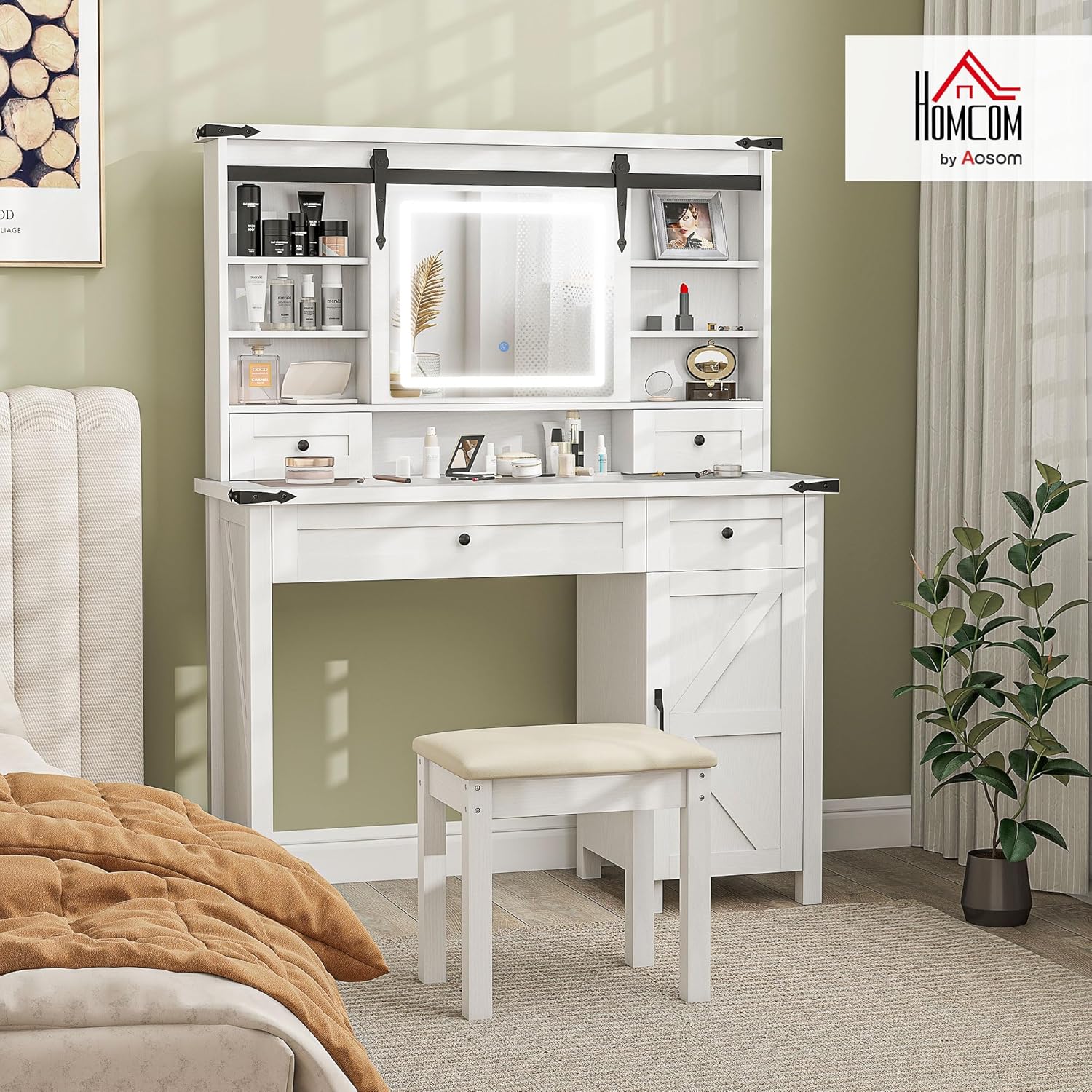
Image: Fully assembled HOMCOM Farmhouse Vanity Desk with LED Mirror and Stool.
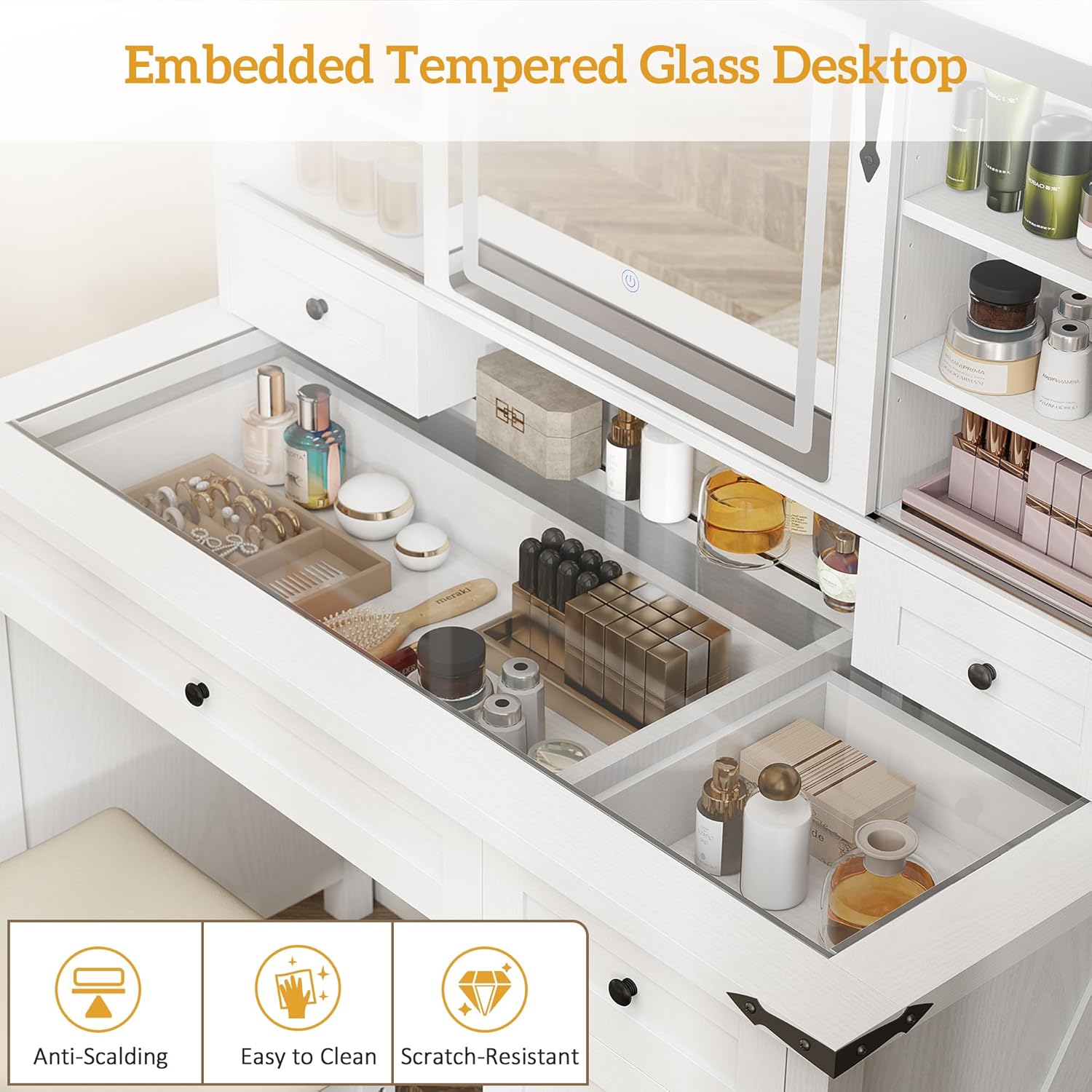
Image: Illustration of the anti-tip device installation for safety.
Awọn ilana Iṣiṣẹ
LED digi isẹ
The integrated LED mirror offers adjustable lighting to suit your needs.
- Titan/Apapa: Touch the power icon on the mirror surface to turn the LED lights on or off.
- Ṣatunṣe Awọ Imọlẹ: Briefly touch the power icon to cycle through three light color settings: warm light (3000K), natural light (4500K), and cool light (6500K).
- Ṣatunṣe Imọlẹ: When in a single light mode, long-press the power icon to adjust the brightness level from 0% to 100%.

Aworan: Alaye view of the LED mirror's adjustable light settings.
Ibi Awọn ẹya ara ẹrọ
This vanity desk provides ample storage for your beauty essentials.
- Sliding Mirror Door: The mirror slides horizontally to reveal hidden storage shelves behind it, perfect for concealing items or keeping them dust-free.
- Awọn ayaworan: Utilize the four drawers for organized storage of smaller items.
- Awọn selifu ti o le ṣatunṣe: The vanity includes six adjustable shelves, allowing you to customize storage space for various item heights.
- Side Cabinet: A two-tier side cabinet provides additional enclosed storage.
- Tabulẹti gilasi: The tempered glass tabletop allows for easy visibility of items stored beneath, while also protecting the surface.

Image: The sliding mirror door mechanism and hidden storage.

Aworan: Pariview of the vanity's various storage compartments.

Image: The tempered glass desktop protecting visible storage.
Ọja Pariview Fidio
Fidio: Oṣiṣẹ kan ti pariview of the HOMCOM 831-972V80WT Vanity Table, demonstrating its features and functionality.
Itoju
Proper care will ensure the longevity and appearance of your vanity desk.
- Ninu: Wipe the surfaces with a dry, soft cloth. For the glass tabletop, use a glass cleaner as needed. Avoid abrasive cleaners or harsh chemicals.
- Idasonu: Máa fọ gbogbo ìdọ̀tí tó bá dà sílẹ̀ kíákíá kí ó má ba àbàwọ́n tàbí kí ó ba igi tí a ṣe àgbékalẹ̀ náà jẹ́.
- Ayewo: Lokọọkan ṣayẹwo gbogbo awọn skru ati awọn asopọ lati rii daju pe wọn wa ni wiwọ. Retighten ti o ba wulo.
- Digi LED: Do not attempt to disassemble the LED mirror unit. If issues arise, contact customer support.
Laasigbotitusita
Ti o ba ba awọn ọran eyikeyi pade pẹlu tabili asan rẹ, tọka si awọn ojutu ti o wọpọ wọnyi:
- Awọn ẹya ti o padanu: If any parts are missing upon unboxing, do not proceed with assembly. Contact customer support immediately for replacement parts.
- LED Mirror Not Working: Ensure the power cable is securely plugged into both the mirror unit and a functional power outlet. If the issue persists, contact customer support.
- Asán Wobbles: Check that all assembly screws are tightened. Ensure the vanity is placed on a level surface. Re-install the anti-tip device if it has come loose.
- Drawers or Doors Not Aligning: Review the assembly instructions to ensure all components were installed correctly. Slight adjustments to hardware may be needed.
Awọn pato
| Ẹya ara ẹrọ | Ẹ̀kúnrẹ́rẹ́ |
|---|---|
| Nọmba awoṣe | 831-972V80WT |
| Brand | HOMCOM |
| Àwọ̀ | Funfun |
| Ara | Ile oko |
| Ohun elo fireemu | Onigi Igi |
| Ijoko elo Iru | Polyester |
| Awọn iwọn Ọja (Iduro) | 15.9"D x 42"W x 54.1"H |
| Iwọn Nkan | 105 iwon |
| Seat Height (Stool) | 15.7 inches |
| Apejọ ti a beere | Bẹẹni |
| Ọja Itoju Awọn ilana | Mu ese pẹlu Asọ Gbẹ |

Image: Dimensional drawing of the vanity desk and stool.
Atilẹyin ọja ati Support
For warranty information, replacement parts, or technical support, please refer to the contact details provided in your original purchase documentation or visit the official HOMCOM webojula. Jeki ẹri rira rẹ fun awọn iṣeduro atilẹyin ọja.


