1. Ifihan
The ANTMINER BT606 is a compact and versatile mini WiFi security camera designed for discreet surveillance. It offers 1080P high-definition video recording, infrared night vision, and remote monitoring capabilities via a smartphone application. Its small size and various mounting options make it suitable for a wide range of indoor and outdoor applications, including home security, pet monitoring, child supervision, and evidence recording.
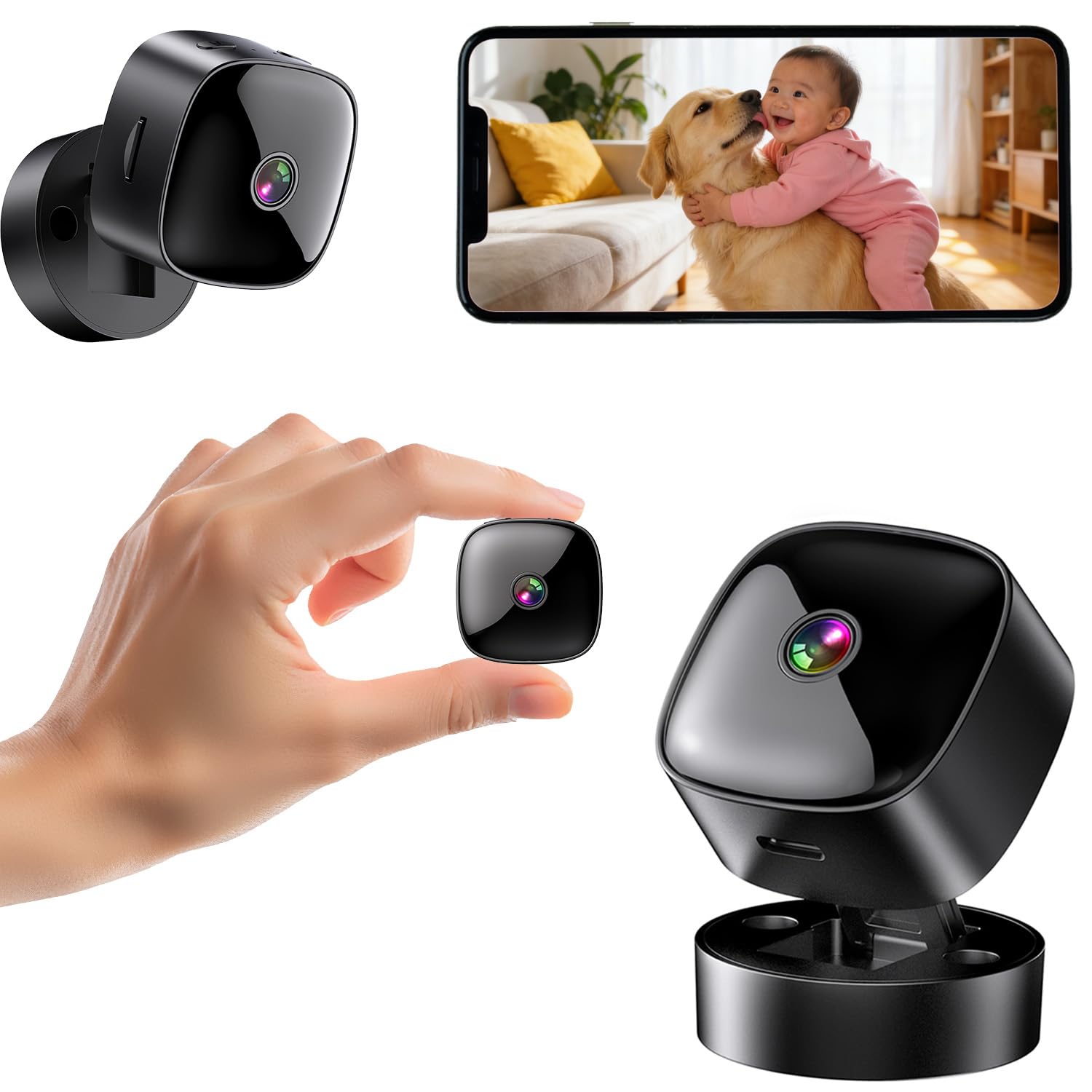
Figure 1: ANTMINER BT606 Mini WiFi Security Camera overview.
2. Package Awọn akoonu
Jọwọ ṣayẹwo package fun awọn nkan wọnyi:
- ANTMINER BT606 Mini Camera
- Makiro Mimọ
- Iru-C Okun USB
- Iṣagbesori Skru (2)
- Ilana olumulo (Gẹẹsi)

Figure 2: Included components: camera, base, Type-C cable, screws, and manual.
3. Awọn ẹya Ọja
- Apẹrẹ Iwapọ Ultra: Small size allows for discreet placement in various indoor and outdoor environments, such as furniture gaps, behind decorations, or in vehicles.
- 1080P High-Definition Video: Yaworan foo ko o ati alayetage, ensuring important details are visible.
- Iran Alẹ Infurarẹẹdi: Equipped with infrared lights for clear recording in low-light conditions or complete darkness, providing 24/7 surveillance.
- WiFi Connectivity & Remote Monitoring: Connects to your home or office 2.4GHz WiFi network, enabling real-time viewing and control via a dedicated smartphone app (iOS/Android).
- Loop Recording & Long Recording: Laifọwọyi tunkọ foo atijọ julọtage when the memory card is full, ensuring continuous recording without manual deletion. Supports extended recording sessions, especially when powered via USB.
- Lẹnsi Igun Gigun: Features a 120-degree wide-angle lens to cover a broader area, minimizing blind spots.
- Iṣiṣẹ Rọrun: Simple one-button control for starting and stopping recording.
- Iṣagbesori pupọ: Includes a magnetic base for easy attachment to metal surfaces, a desktop stand, and options for wall or ceiling mounting using screws.
4. Eto Itọsọna
4.1 Ngba agbara si Kamẹra
Before first use, fully charge the camera using the provided Type-C USB cable and a standard USB power adapter (not included). The camera can also record while charging, enabling 24-hour continuous surveillance.
4.2 Fi kaadi MicroSD sii
Insert a MicroSD card (up to 128GB, Class 10 or higher recommended) into the card slot. Ensure the card is inserted correctly. The camera supports loop recording, which will automatically overwrite old footage nígbà tí káàdì náà bá kún.
4.3 App Download ati fifi sori
Download the dedicated smartphone application for iOS or Android devices. Wa fun the app name (usually indicated in the included manual or on the product packaging) in your device's app store. Install the app and create an account if prompted.
4.4 Nsopọ si WiFi
- Agbara lori kamẹra.
- Open the installed app on your smartphone.
- Follow the in-app instructions to add a new device. This typically involves scanning a QR code displayed on the camera or connecting to the camera's temporary WiFi hotspot.
- Select your 2.4GHz WiFi network (5GHz networks are not supported) and enter the password.
- Nígbà tí a bá ti so mọ́ ọn, àmì ipò kámẹ́rà náà yóò yípadà, ìwọ yóò sì rí ìfọ̀rọ̀wérọ̀ láyìíká nínú àpù náà.

Figure 3: WiFi connection process and multi-user sharing via QR code. Note: Only 2.4GHz WiFi is supported.
4.5 Iṣagbesori Kamẹra
Kamẹra naa nfunni ni awọn aṣayan fifi sori ẹrọ ti o rọ:
- Ibi tabili: Place the camera on its magnetic base on any flat surface.
- Asomọ oofa: The camera's back has a magnet, allowing direct attachment to suitable metal surfaces.
- Òkè Ògiri/Ile: Use the provided screws to attach the magnetic base to a wall or ceiling, then attach the camera to the base. Adjust the camera angle as needed.

Olusin 4: Examples of desktop, wall, and ceiling installation methods.
5. Awọn ilana Iṣiṣẹ
5.1 Agbara Tan / Pa
Press and hold the power button to turn the camera on or off. Refer to the indicator light for status.
5.2 Gbigbasilẹ Video
Once powered on and a MicroSD card is inserted, the camera will typically begin recording automatically. You can also manually start/stop recording via the dedicated button on the camera or through the smartphone app.
5.3 Real-time Viewing ati Sisisẹsẹhin
Open the smartphone app to view the live feed from your camera. You can also access recorded footage stored on the MicroSD card through the app for playback.
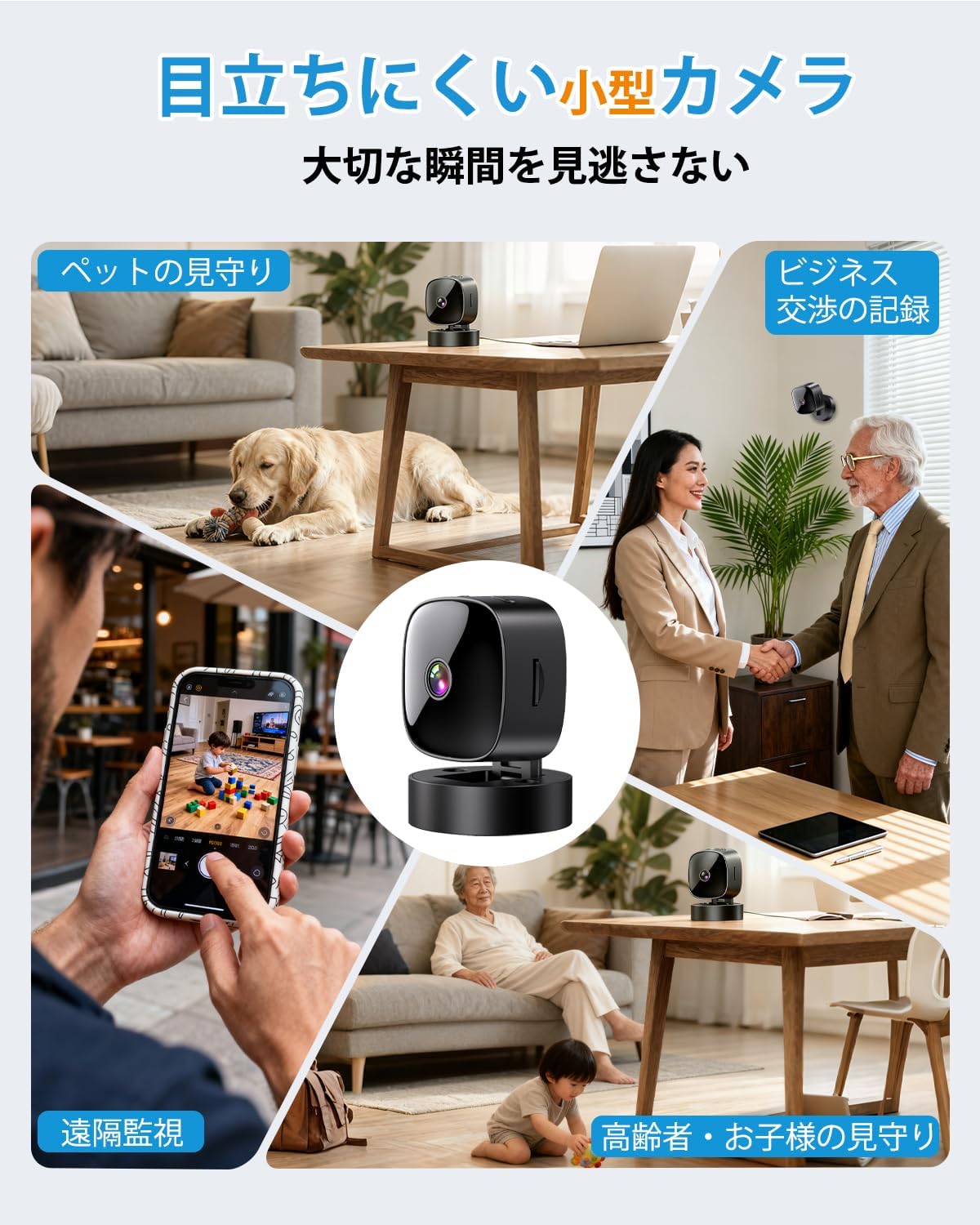
Figure 5: Various applications such as pet monitoring, business recording, remote surveillance, and care for children or the elderly.
5.4 Night Vision
The camera automatically switches to infrared night vision mode in low-light conditions. This ensures clear black-and-white video recording even in complete darkness.
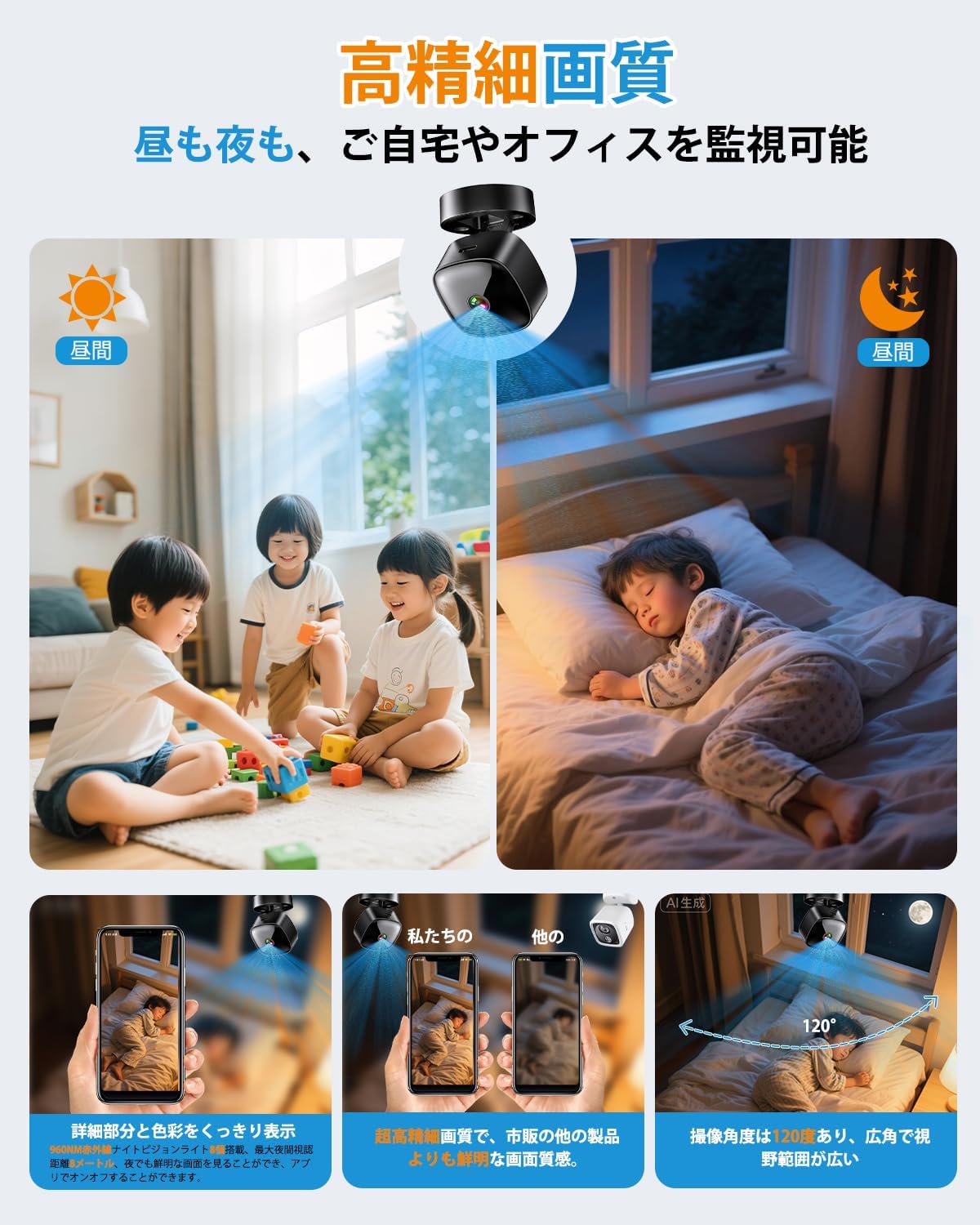
Figure 6: High-definition day and night vision, showcasing clear images in both bright and dark environments with a 120-degree wide-angle.
5.5 Loop Gbigbasilẹ
The loop recording feature ensures that the camera continues to record even when the MicroSD card is full. It automatically deletes the oldest files lati ṣe aaye fun awọn igbasilẹ titun.
6. Itọju
- Ninu: Lo aṣọ rírọrùn tí ó gbẹ láti nu lẹ́ńsì kámẹ́rà àti ara rẹ̀. Yẹra fún lílo àwọn kẹ́míkà líle tàbí àwọn ohun èlò ìpalára.
- Itọju Batiri: For optimal battery life, avoid fully discharging the camera frequently. Charge the camera regularly, especially if it's used for continuous surveillance.
- Iṣakoso Kaadi SD: Periodically format the MicroSD card through the app or on a computer to maintain performance and prevent data corruption. Back up important footage ṣaaju ki o to kika.
- Awọn imudojuiwọn famuwia: Check the app periodically for any available firmware updates for the camera. Keeping the firmware updated ensures optimal performance and security.
7. Laasigbotitusita
| Isoro | Owun to le Fa / Solusan |
|---|---|
| Kamẹra ko tii | Battery may be depleted. Charge the camera for at least 2 hours. Ensure the power button is pressed and held correctly. |
| Ko le sopọ si WiFi |
|
| No recording or footage sonu |
|
| Didara fidio ti ko dara |
|
8. Awọn pato
| Ẹya ara ẹrọ | Ẹ̀kúnrẹ́rẹ́ |
|---|---|
| Orukọ awoṣe | BT606 |
| Brand | ANTMINER |
| Ipinnu fidio | 1080p |
| Asopọmọra | WiFi (2.4GHz only) |
| Alẹ Iranran | Infurarẹẹdi |
| Ibi ipamọ | MicroSD kaadi (to 128GB) |
| Gbigbasilẹ Loop | Atilẹyin |
| Orisun agbara | USB rechargeable (can record while charging) |
| Ọja Mefa | 30 x 30 x 30 mm (isunmọ 1.2 x 1.2 x 1.2 inches) |
| Iwọn Ọja | 70 g (tó tó 2.5 oz) |
| Àwọ̀ | Dudu dudu |
| Iṣagbesori Iru | Magnetic, Desktop Stand, Wall/Ceiling Mount |
| App Support | iOS, Android |
9. Atilẹyin ọja ati Support
This product comes with a standard manufacturer's warranty. For specific warranty details, please refer to the product packaging or contact the retailer where you purchased the device. For technical support or further assistance, please refer to the contact information provided with your purchase or visit the official ANTMINER webojula.


