1. Ifihan
The GIGABYTE Gaming A18 redefines accessible gaming with a perfect synergy of AI-powered performance and ergonomic design. Featuring an AMD Ryzen™ 7 260 Processor and an NVIDIA® GeForce RTX™ 5060 GPU, the GAMING A18 is ideal for gamers, students, and professionals exploring generative AI. Equipped with GiMATE - an intelligent AI agent - this laptop personalizes your computing experience by adapting system operations to your unique needs. With a focus on user comfort, the GIGABYTE Gaming A18 introduces the premium GIGABYTE Golden Curve Keyboard and a versatile 180-degree hinge design, accommodating various usage scenarios from gaming to productivity. Perceive every game-winning moment on a panoramic 165Hz display with slim bezels and a 16:10 aspect ratio while Dolby Atmos® creates an immersive audio experience.

Figure 1: GIGABYTE Gaming A18 Laptop highlighting key specifications like AMD Ryzen 7 260, NVIDIA RTX 5060, Windows 11, 32GB DDR5 RAM, and 1TB SSD.
2. Bibẹrẹ
2.1. Unboxing ati Ni ibẹrẹ Oṣo
- Carefully remove the laptop and its accessories from the packaging.
- So ohun ti nmu badọgba AC pọ si ibudo titẹ agbara laptop ati lẹhinna si iṣan agbara kan.
- Ṣí ideri kọ̀ǹpútà alágbèéká náà kí o sì tẹ bọ́tìnnì agbára láti tan ẹ̀rọ náà.
- Tẹle awọn ilana loju iboju lati pari iṣeto Windows 11 Home akọkọ.
2.2. Asopọmọra Agbeegbe
The GIGABYTE Gaming A18 offers a variety of ports for connecting external devices. Refer to the diagram below for port locations.
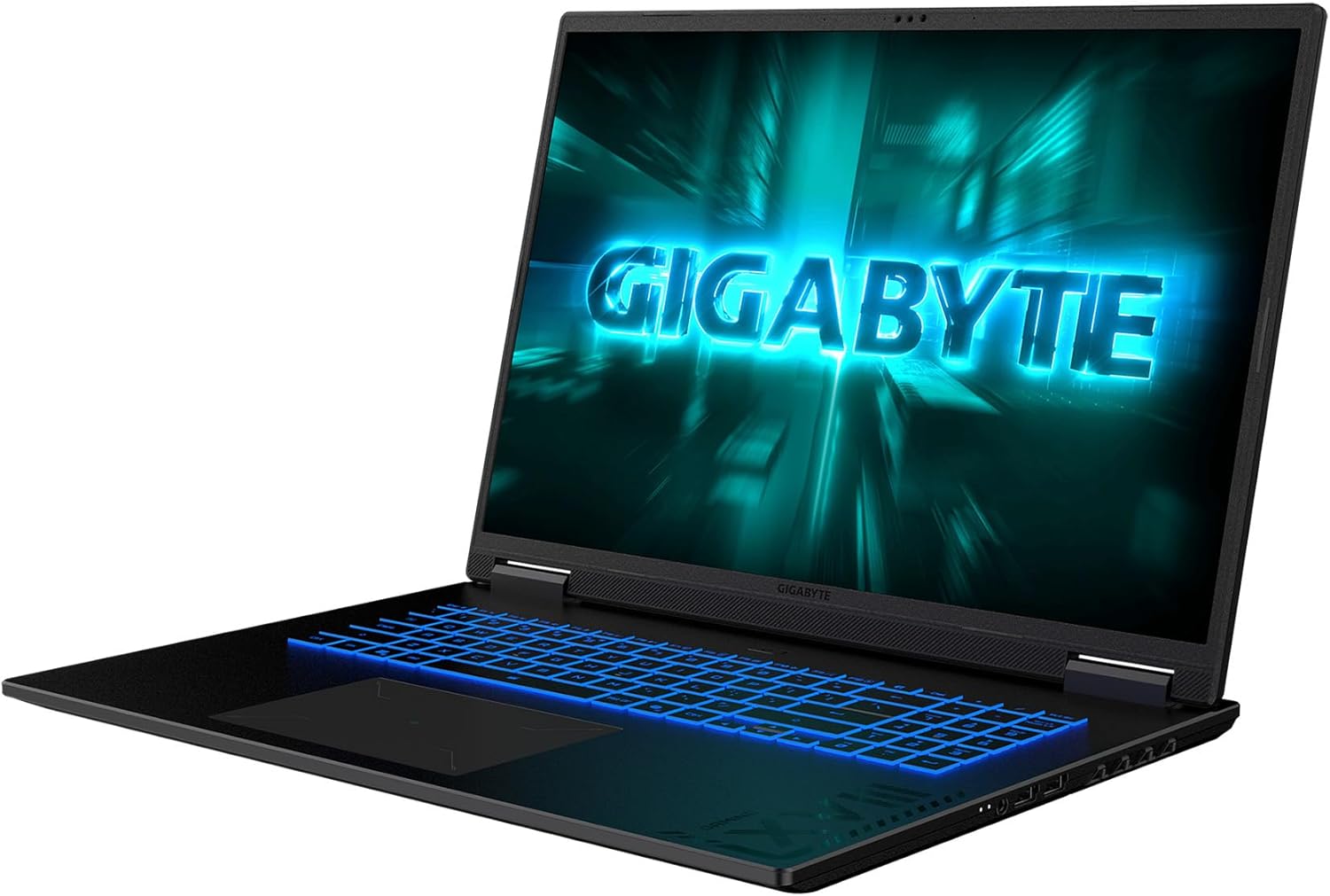
Figure 2: Connectivity ports including USB-A, USB-C (DisplayPort 1.4, Power Delivery 3.0), HDMI 2.1, RJ-45, DC-in, and 3.5mm Audio Jack.
3. Ṣiṣẹ Kọǹpútà alágbèéká Rẹ
3.1. Ifihan Awọn ẹya ara ẹrọ
Experience stunning visuals on the 18-inch WQXGA (2560x1600) display with a 165Hz refresh rate. The 4-sided super-slim bezels provide an enlarged viewing area, enhancing immersion for both gaming and productivity. The display offers 100% sRGB color accuracy and 414 nits brightness for vibrant and clear images.

Figure 3: Display specifications of the GIGABYTE Gaming A18 Laptop.
3.2. Keyboard ati Touchpad
The GIGABYTE Gaming A18 features a newly designed Golden Curve Keyboard with larger key caps and an optimized force curve for a comfortable and silent experience. The enlarged touchpad provides precise control for all your portable scenarios.

Figure 4: Close-up of the Golden Curve Keyboard and enlarged touchpad.
3.3. Iṣẹ ṣiṣe
Powered by an AMD Ryzen™ 7 260 Processor and an NVIDIA® GeForce RTX™ 5060 Laptop GPU, the Gaming A18 delivers exceptional performance. With 32GB DDR5 RAM and a 1TB SSD, you can stream, record, game, and run multiple applications without compromise. The NVIDIA Advanced Optimus with MUX Switch allows you to switch between integrated and discrete GPUs for optimal battery life or performance.

Figure 5: Visual representation of the AMD Ryzen processor.

Figure 6: NVIDIA GeForce RTX 5060 Laptop GPU capabilities.
3.4. AI Awọn ẹya ara ẹrọ
The integrated GIGABYTE GiMATE AI agent intelligently adapts system operations to your needs, making your computing experience more personal and intuitive. This includes GiMATE AI Cooling, which dynamically adjusts to system demands for noise-free immersion in low-power scenarios.
4. Itọju ati Itọju
4.1. itutu System
The GIGABYTE Gaming A18 is equipped with WINDFORCE Cooling Technology, featuring a dual-fan design with 3D VortX air-channeling and a surrounded vent to maximize airflow. This ensures low temperatures for comfortable use, even during intense gaming sessions.

Figure 7: WINDFORCE Cooling system on the underside of the laptop.
4.2. Iṣakoso batiri
The laptop offers up to 12 hours of battery life, supporting extended work or study sessions. To optimize battery longevity, ensure proper charging cycles and avoid extreme temperatures.
4.3. Ninu ati Ibi ipamọ
Regularly clean the screen with a soft, lint-free cloth and the keyboard with compressed air. Store the laptop in a cool, dry place away from direct sunlight and extreme temperatures.
5. Laasigbotitusita
- Ko si Agbara: Ensure the AC adapter is securely connected to both the laptop and a working power outlet. Try a different outlet if necessary.
- Awọn oran Ifihan: Ti iboju ba ṣofo, gbiyanju sisopọ atẹle ita lati ṣayẹwo boya ọrọ naa ba wa pẹlu ifihan kọnputa agbeka. Tun kọǹpútà alágbèéká bẹrẹ.
- Aisun Iṣe: Close unnecessary applications, update drivers, and ensure the cooling vents are not obstructed. Use GiMATE to optimize performance settings.
- Awọn iṣoro Asopọmọra: For Wi-Fi, restart your router and the laptop. For wired connections, check the Ethernet cable. Ensure Bluetooth devices are properly paired.
6. Awọn pato
| Ẹya ara ẹrọ | Ẹ̀kúnrẹ́rẹ́ |
|---|---|
| Iduro iboju Iwon | 18 inches |
| Ipinnu iboju | 2560 x 1600 pixels (WQXGA) |
| Ipinnu Iboju ti o pọju | 2560x1600 |
| isise | 3.8 GHz AMD Ryzen 7 260 |
| Àgbo | 32 GB DDR5 |
| Iyara Iranti | 5600 MHz |
| Dirafu lile | 1 TB SSD |
| Olupilẹṣẹ Graphics | NVIDIA® GeForce RTX™ 5060 Laptop GPU 8GB GDDR7 |
| Ẹya Chipset | NVIDIA |
| Apejuwe kaadi | Ifiṣootọ |
| Alailowaya Iru | 802.11ax, Bluetooth |
| Nọmba ti USB 2.0 Ports | 1 |
| Nọmba ti USB 3.0 Ports | 2 |
| Eto isesise | Windows 11 Ile |
| Iwọn Nkan | 6.17 iwon |
| Ọja Mefa | 15.89 x 11.55 x 0.98 inches |
| Àwọ̀ | Irin Dudu |
| Nọmba ti isise | 8 |
| Pataki Ẹya | Keyboard Backlit |
7. Ohun ti o wa ninu Apoti
- Kọ̀ǹpútà alágbèéká GIGABYTE Gaming A18
- AC ohun ti nmu badọgba
- Itọsọna olumulo
8. Atilẹyin ọja ati Support
For warranty information and technical support, please refer to the documentation included with your product or visit the official GIGABYTE support webojula. Tọju iwe-ẹri rira rẹ fun awọn ẹtọ atilẹyin ọja.


