1. Ifihan
This manual provides detailed instructions for the installation, operation, and maintenance of your AINAVI 7-inch Android Double Din Car Radio Stereo. Please read this manual thoroughly before using the product to ensure proper functionality and safety. Keep this manual for future reference.
2. Ọja Ipariview
The AINAVI 7-inch Android Double Din Car Radio Stereo is an advanced in-car entertainment and navigation system designed to enhance your driving experience. Key features include:
- Eto Android: 2GB RAM and 32GB storage for access to Google Play apps, navigation, and entertainment.
- Wireless & Wired CarPlay/Android Auto: Seamless smartphone integration for navigation, music, calls, and voice control.
- 7-inch QLED Touchscreen: 1280x720 resolution with sharp visuals and smooth touch response, supporting customizable UI themes.
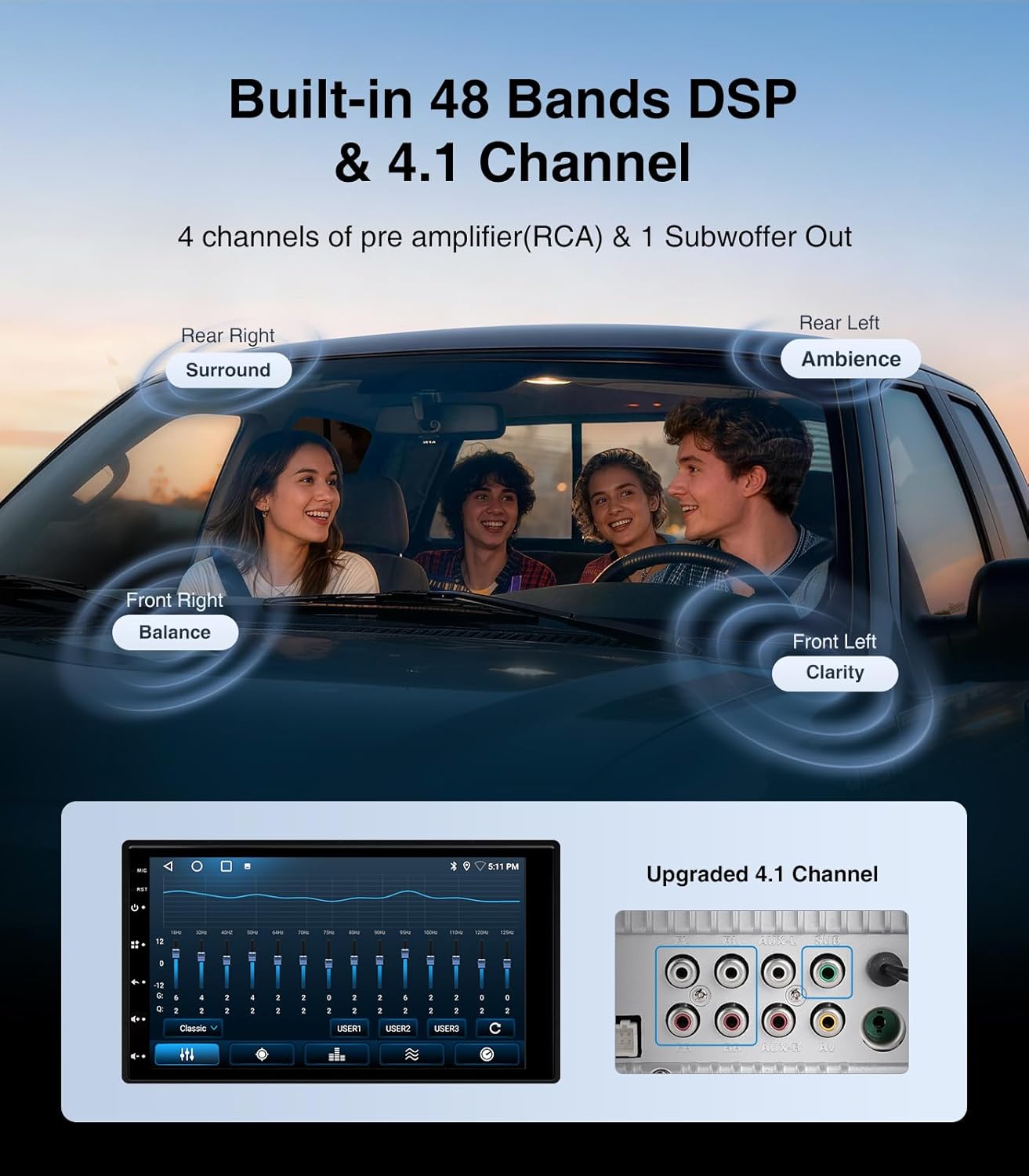
- 4.1-Channel Audio System with DSP EQ: Ti a ṣe sinu amplifier with 48-band EQ and 11 preset sound modes for precise audio tuning and powerful bass.
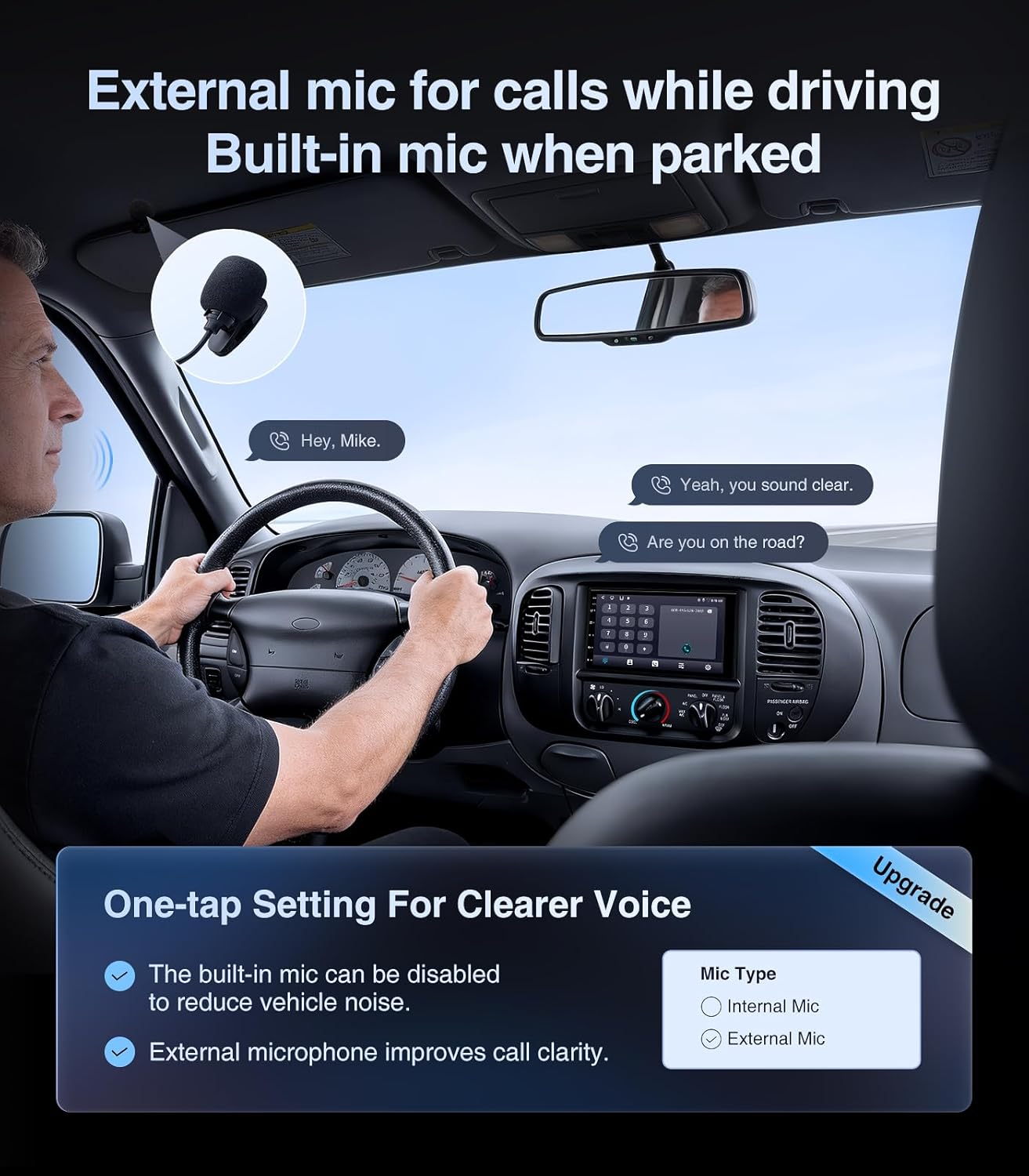
- One-Touch Mic Switching: Enhanced microphone settings to reduce noise for clearer calls, with support for an external microphone.
- Bluetooth & Wi-Fi: Dedicated Bluetooth chip and Wi-Fi antenna for fast pairing and stable connections.
3. Ohun ti o wa ninu Apoti
Daju pe gbogbo awọn paati wa ṣaaju ki o to tẹsiwaju pẹlu fifi sori ẹrọ:
- 7 Inch Double Din Touchscreen Car Stereo (1280*480) x1
- Gbohungbohun x1
- Frame Removal Tool x1
- Eriali GPS x1
- USB 6Pin x2
- Ilana olumulo x1
- Okun Agbara x1

4. Eto & Fifi sori
4.1 Pre-Fifi sọwedowo
- Ensure your vehicle is compatible with a double din head unit.
- Disconnect the vehicle's battery before starting installation to prevent electrical shorts.
- Gather all necessary tools, including a trim removal tool, screwdriver, and wire strippers/crimpers.
4.2 Fifi sori ti ara
Carefully remove the existing car stereo and trim panels. Attach the provided mounting brackets to the new AINAVI head unit. Secure the head unit into the dashboard opening.

4.3 Wiring aworan atọka
Refer to the detailed wiring guide below for connecting the power cable, speakers, and other accessories. Ensure all connections are secure and correctly matched to avoid damage.

4.4 Wiring Introduction Video
Watch this video for a visual guide on connecting the wiring harness.
4.5 General Wiring Connection Video
This video offers a general overview of wiring harness connections for car stereos.
5. Awọn ilana Iṣiṣẹ
5.1 Function Introduction Video
Explore the various functions and features of your AINAVI car stereo with this introductory video.
5.2 CarPlay & Android Auto
Connect your smartphone wirelessly or via USB to access navigation, music, calls, and voice assistants directly from the stereo's display. The system supports both Apple CarPlay and Android Auto.

5.3 Audio System (DSP/EQ)
Utilize the built-in DSP processor and 48-band EQ to customize your audio experience. Choose from 11 preset sound modes or fine-tune individual frequencies for optimal sound quality.
5.4 Eto Gbohungbohun
The stereo features one-touch microphone switching to reduce noise. For clearer calls at high speeds, switch to the external microphone and install it closer to the driver.
5.5 Ifihan isọdi
The Android system allows for multiple stylish and customizable UI themes. Personalize the interface to match your preferences and give your dashboard a modern look.

Rédíò 5.6 (AM/FM)
Access AM/FM radio stations with clear reception. The system supports station presets and auto-scan features.

6. Awọn pato
| Ẹya ara ẹrọ | Ẹ̀kúnrẹ́rẹ́ |
|---|---|
| Iwọn Nkan | 3.63 iwon |
| Package Mefa | 8.43 x 7.91 x 6.02 inches |
| Nọmba Awoṣe Nkan | No Backup Camera |
| Iwọn Ifihan | 7 inches |
| Atilẹyin ọja | 12 Months Manufacturer Guarantee |
| Òfin ohùn | Afi ika te |
| Brand | AINAVI |
| Ọkọ Iṣẹ Iru | Ọkọ ayọkẹlẹ |
| Pataki Ẹya | Bluetooth, Touchscreen |
| Asopọmọra Technology | Bluetooth, USB, Wi-Fi |
| Oriṣi maapu | ariwa Amerika |
| Ipo Ijade Ohun | Sitẹrio |
| Iṣagbesori Iru | Dasibodu Oke |
| Agbara Ibi ipamọ Iranti | 32 GB |
7. Laasigbotitusita
If you encounter any issues with your AINAVI car stereo, please refer to the following common troubleshooting steps:
- Ko si Agbara: Ṣàyẹ̀wò gbogbo àwọn ìsopọ̀ agbára, títí kan okùn agbára pàtàkì àti okùn iná. Rí i dájú pé batiri ọkọ̀ náà ti gba agbára.
- Ko si Ohun: Verify speaker connections and check the audio settings (volume, balance, fader, EQ). Ensure the correct audio source is selected.
- CarPlay/Android Auto Ko Sopọ: Ensure Bluetooth and Wi-Fi are enabled on your phone and the stereo. Try restarting both devices. Check USB cable connection if using wired mode.
- Poor Microphone Quality: Switch to the external microphone in the settings and ensure it is properly installed and positioned.
- Iboju ifọwọkan Ko dahun: Try restarting the device. If the issue persists, perform a factory reset (refer to the settings menu for instructions).
8. Atilẹyin ọja & Atilẹyin
Your AINAVI 7-inch Android Double Din Car Radio Stereo comes with a 12 Months Manufacturer Guarantee. For technical support, warranty claims, or any questions not covered in this manual, please contact AINAVI customer service through the retailer where you purchased the product.


