1. Ọja Ipariview
The DUMOS TV Stand Dresser is a versatile furniture piece designed for entertainment and storage. It features nine fabric drawers, open shelves, integrated LED lighting, and a built-in charging station. This unit is suitable for TVs ranging from 45 to 55 inches.
Awọn ẹya pataki:
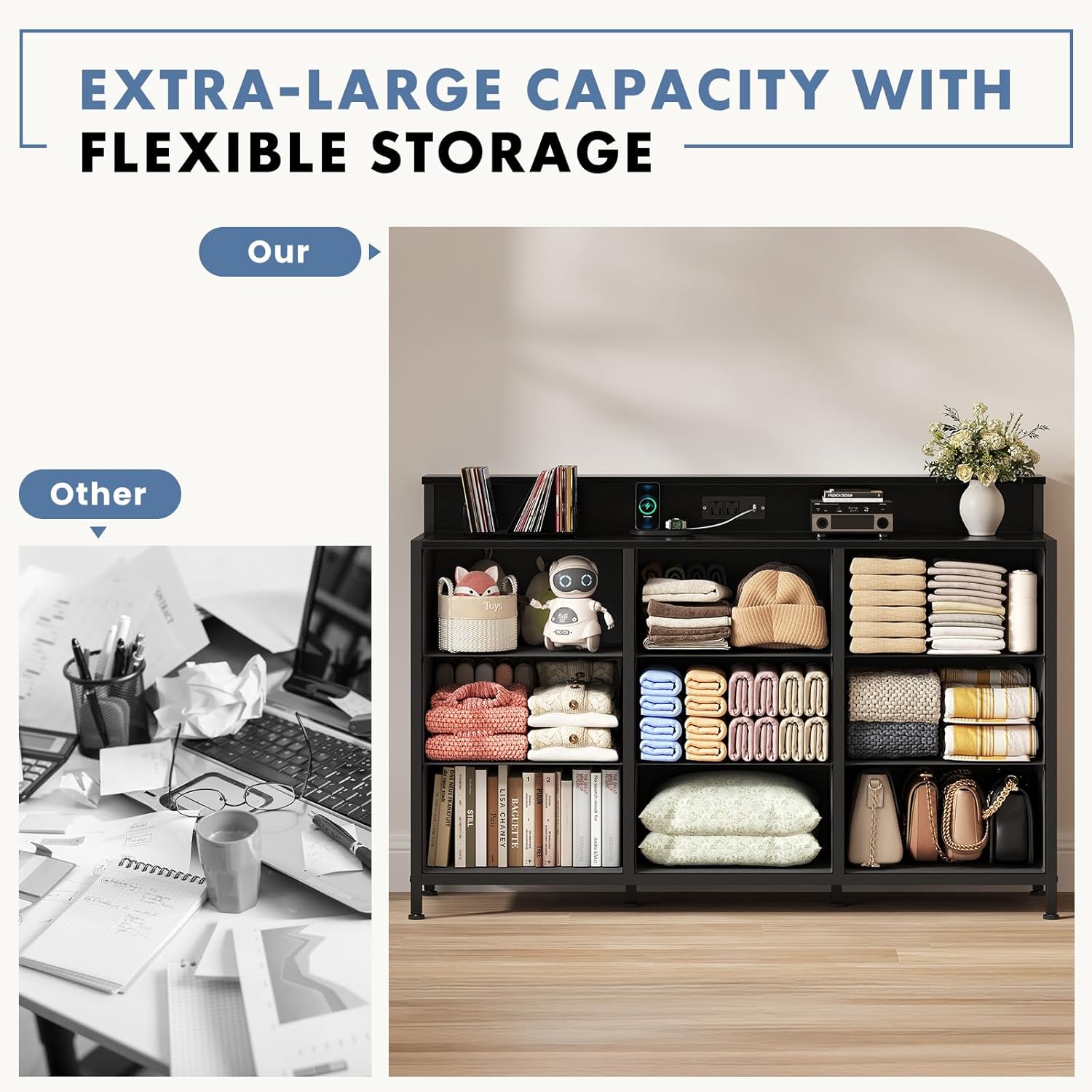
- Ibi ipamọ nla: Nine soft-closing fabric drawers and open shelves provide ample space for media components, games, books, and remote controls, helping to reduce clutter.
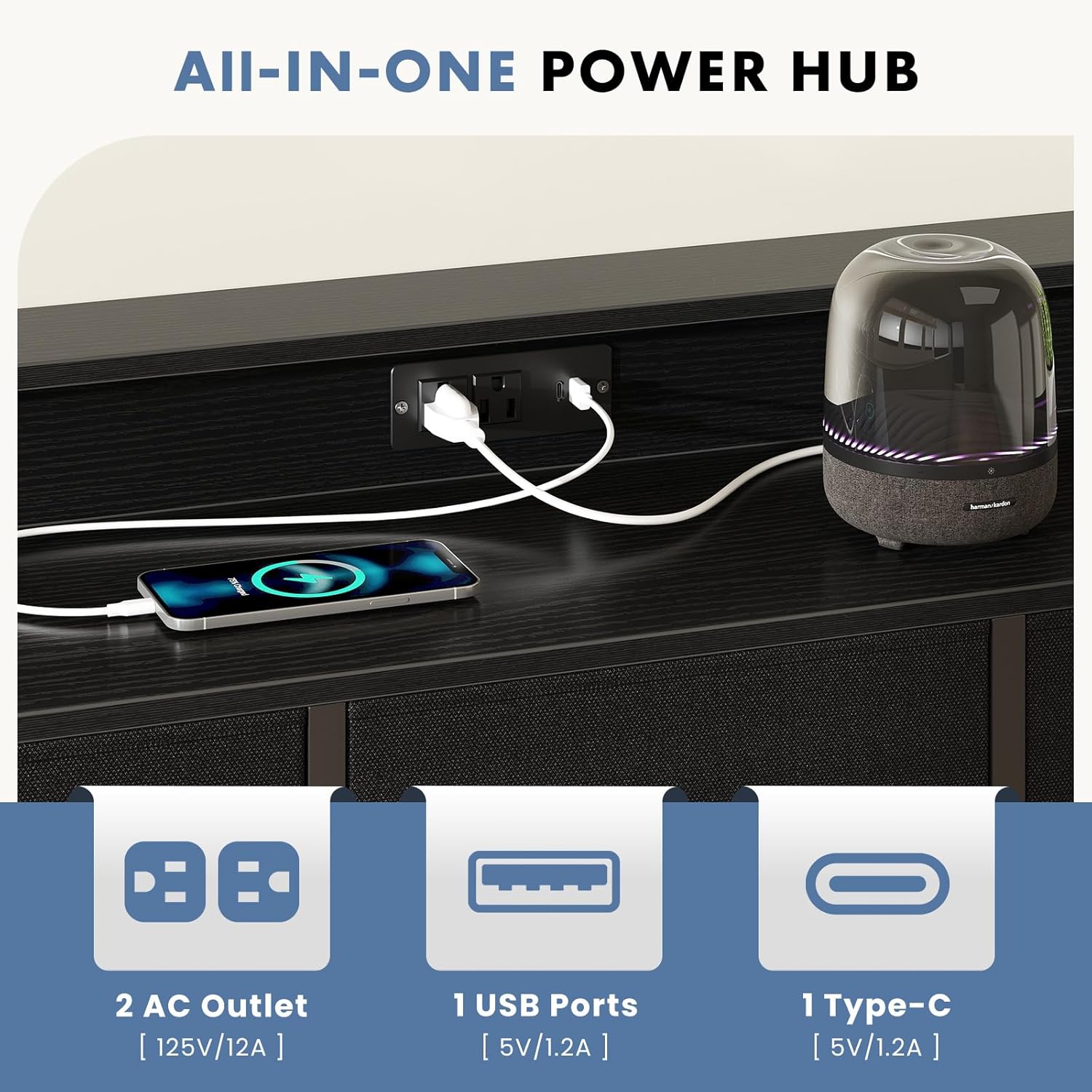
- Built-In Charging Station: Equipped with 2 AC sockets and 2 USB ports to conveniently power and charge your devices.
- Imọlẹ LED isọdi: Integrated LED lights enhance your viewing experience and room ambiance.
- Apẹrẹ Iṣẹ-pupọ: Serves as a TV stand, dresser, and media console, suitable for living rooms or bedrooms.
- Ikole ti o lagbara: Features a robust wood top and a strong metal frame, supporting up to 160 lbs.
2. Alaye Aabo
- Do not load more than 160 lbs on the unit.
- Keep away from children and pets to prevent accidents.
- Ṣọra ni ayika awọn egbegbe didasilẹ lakoko apejọ ati lilo.
- Rii daju pe gbogbo awọn skru ati awọn fasteners ti wa ni wiwọ ni aabo ṣaaju lilo.
- Use the included anti-tilt device to secure the unit to a wall, preventing tipping.
3. Awọn ilana iṣeto
Assembly is required for this product. Please follow the steps below carefully. An assembly video is provided for visual guidance.
Fidio Apejọ:
Apejọ Igbesẹ-Igbese:
- Yọọ ati Ṣe idanimọ Awọn apakan: Carefully unpack all components and lay them out. Refer to the parts list in your physical manual to ensure all pieces are present.
- Ṣe akojọpọ fireemu Ipilẹ: Attach the adjustable feet to the bottom metal frame sections. Connect the side frames using the horizontal support bars and secure with screws.
- Install the Top Board: Place the main wooden top board onto the assembled metal frame. Secure it using the provided screws.
- So Pẹpẹ Ẹ̀yìn pọ̀ mọ́: Secure the wooden back panel to the rear of the unit, aligning it with the pre-drilled holes.
- Fi awọn imọlẹ LED sori ẹrọ: Connect the LED light strip to the power cable. Peel off the adhesive backing and carefully attach the LED strip to the designated area on the back panel. Use the provided clips and screws to further secure the LED strip.
- Fi Awọn Atilẹyin Aṣọ Ifọṣọ sori ẹrọ: Insert the metal drawer supports into the designated slots within the frame. Ensure they are firmly in place to support the fabric drawers.
- Attach Anti-Tilt Device: Secure the anti-tilt strap to the back of the unit and then to a wall stud using appropriate hardware. This is crucial for stability and safety.
- Kó àwọn àpótí aṣọ jọ: Insert the bottom panel into each fabric drawer and attach the handles.
- Fi Awọn apoti sii: Place the assembled fabric drawers into their respective compartments in the frame.
- Fi sori ẹrọ Ibusọ Gbigba agbara: Insert the charging station unit into the cutout on the top board. Secure it with screws and plug the power cord into a wall outlet.

4. Awọn ilana Iṣiṣẹ
Lilo awọn ina LED:
The integrated LED lights can be controlled to create various ambiances. Refer to the specific instructions provided with the LED light kit for details on using the remote control or any associated mobile application to change colors, brightness, and lighting modes.

Lilo Ibusọ Gbigba agbara:
Ibudo gbigba agbara ti a ṣe sinu rẹ pese wiwọle agbara ti o rọrun fun awọn ẹrọ itanna rẹ.
- Plug the charging station's power cord into a standard wall outlet.
- Use the 2 AC outlets for devices requiring standard power plugs.
- Use the 2 USB ports (Type-A and Type-C) to charge compatible devices such as smartphones, tablets, or other USB-powered accessories.
5. Itọju
Awọn ilana Itọju Ọja:
- Wipe the wood and metal surfaces with a dry cloth to remove dust and debris.
- Yẹra fun lilo awọn kẹmika lile tabi awọn afọmọ abrasive, nitori iwọnyi le ba ipari jẹ.
- For fabric drawers, spot clean with a damp cloth and mild detergent if necessary. Allow to air dry completely.
- Lokọọkan ṣayẹwo gbogbo awọn skru ati awọn asopọ lati rii daju pe wọn wa ni wiwọ. Tun fi sii ti o ba nilo.
6. Laasigbotitusita
Awọn oran ti o wọpọ ati Awọn ojutu:
- Awọn imọlẹ LED ko ṣiṣẹ:
- Ensure the LED strip is properly connected to its power source.
- Check if the power adapter is securely plugged into a working wall outlet.
- Verify that the remote control battery is functional and the remote is pointed correctly at the receiver.
- Ibusọ gbigba agbara Ko pese Agbara:
- Confirm the charging station's power cord is fully plugged into a live wall outlet.
- Ṣe ìdánwò ibi ìtajà ògiri pẹ̀lú ẹ̀rọ mìíràn láti rí i dájú pé ó ṣiṣẹ́ dáadáa.
- Ensure your device's charging cable is properly connected to the charging station and your device.
- Ẹyọ náà dàbí ẹni tí kò dúró ṣinṣin:
- Rí i dájú pé gbogbo àwọn skru ìsopọ̀ ni a ti mú ṣinṣin.
- Adjust the leveling feet on the bottom of the unit to compensate for uneven floors.
- Ensure the anti-tilt device is properly installed and secured to a wall stud.
7. Awọn pato
| Ẹya ara ẹrọ | Ẹ̀kúnrẹ́rẹ́ |
|---|---|
| Nọmba awoṣe | KADU-TVK9CDC-BK-0108-01 |
| Ọja Mefa | 46.97 x 13.39 x 31.3 inches (L x W x H) |
| Iwọn Nkan | 31.5 iwon |
| Ohun elo | Metal, Wood, Fabric |
| Nọmba ti Drawers | 9 |
| Nọmba ti selifu | 1 (open shelf area) |
| Ibaramu Iwọn TV | 45-55 inch TVs |
| Agbara iwuwo | Titi di 160 lbs |
| Gbigba agbara gbigba agbara | 2 AC Outlets (125V/12A), 1 USB-A Port (5V/1.2A), 1 USB-C Port (5V/1.2A) |

8. Atilẹyin ọja ati Support
For specific warranty information and customer support, please refer to the documentation included with your purchase or contact DUMOS customer service directly. Contact details are typically found on the product packaging or the manufacturer's official webojula.


