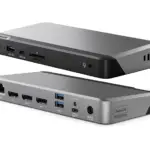
DisplayLink Manuals & User Guides
DisplayLink is a universal graphics technology by Synaptics that enables multi-monitor connectivity and docking solutions via USB for Windows, macOS, Chrome OS, and Android devices.
About DisplayLink manuals on Manuals.plus
DisplayLink, a technology brand owned by Synaptics, specializes in USB graphics solutions that connect computers and displays using standard interfaces like USB, Ethernet, and Wi-Fi.
This technology is widely integrated into universal docking stations, video adapters, and monitors from various manufacturers, allowing users to effortlessly extend their desktops and connect peripherals regardless of the host device's make or model. DisplayLink is particularly renowned for enabling multiple external displays on computers with limited native video support, such as Apple M-series MacBooks. The core software driver acts as a virtual graphics card, compressing and transmitting video data to offer high-resolution productivity setups.
DisplayLink manuals
Titun Afowoyi lati manuals+ curated fun yi brand.
DisplayLink PN 27263 USB-C Triple DisplayDock 4K Ilana Itọsọna
Ibusọ Docking DisplayLink pẹlu Ilana Itọsọna Adapter 150W
DisplayLink Docking Station Triple Monitor Fifi sori Itọsọna
Itọnisọna Olumulo Ohun elo Oluṣakoso DisplayLink
Itọsona olumulo sọfitiwia Awọn aworan USB DisplayLink
Anker A83B6 14 Ninu Afọwọṣe Olumulo Ibusọ Docking Prime 1
ALOGIC DisplayLink Awakọ lori MacOS Version 12 Ilana itọnisọna
Awọn Awakọ Ẹrọ Ifihan Totu fun Windows ati Mac
DisplayLink Graphics Adapter User Manual - Software Version 5.3
DisplayLink Driver Installation Guide for macOS
Bii o ṣe le Lo Ohun elo Oluṣakoso IfihanLink lori MacOS - Fifi sori ẹrọ ati Itọsọna Eto
Laasigbotitusita IfihanLink pẹlu macOS Ventura: Gbigbasilẹ iboju, Awọn nkan iwọle, ati Awọn ọran fifi sori ẹrọ
DisplayLink USB Graphics Software: Download and Installation Guide
DisplayLink video guides
Wo iṣeto, fifi sori ẹrọ, ati awọn fidio laasigbotitusita fun ami iyasọtọ yii.
DisplayLink support FAQ
Awọn ibeere ti o wọpọ nipa awọn itọnisọna, iforukọsilẹ, ati atilẹyin fun ami iyasọtọ yii.
-
Where can I download DisplayLink drivers?
Drivers for Windows, macOS, Android, and Ubuntu Chrome OS are available on the official Synaptics DisplayLink downloads page.
-
Why does the DisplayLink Manager app require Screen Recording permission on macOS?
On macOS, 'Screen Recording' permission is necessary for the DisplayLink driver to access the pixel data required to render your screen to external monitors. The software does not record or store your screen content; it only captures data to transmit to the extended display.
-
Can I use DisplayLink with Apple M1, M2, or M3 MacBooks?
Yes, DisplayLink technology allows Apple Silicon (M1/M2/M3) Macs to support multiple external monitors, bypassing the native single-external-display limitation of the base chips.
-
What should I do if my monitors are not detected?
Ensure you have the latest DisplayLink software installed and that the application is running. For macOS users, verify that the DisplayLink Manager app is running in the menu bar and permissions are granted.