📘 Àwọn ìwé àfọwọ́kọ MiLocks • Àwọn PDF lórí ayélujára ọ̀fẹ́
MiLocks logo

Àwọn Ìwé Ìtọ́sọ́nà MiLocks àti Àwọn Ìtọ́sọ́nà Olùlò

MiLocks, a brand of Morning Industry, specializes in electronic keyless entry solutions including keypad deadbolts, doorknobs, and remote-control handle sets for residential security.

Àmọ̀ràn: fi gbogbo nọ́mbà àwòṣe tí a tẹ̀ sórí àmì MiLocks rẹ kún un fún ìbáramu tó dára jùlọ.

Nípa àwọn ìwé ìtọ́ni MiLocks lórí Manuals.plus

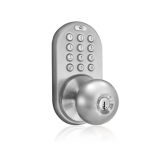
MiLocks is a leading manufacturer of residential electronic locksets, offering a wide variety of keyless entry solutions such as touchpad deadbolts, doorknobs, levers, and handle sets. Operating under Morning Industry Inc. (MiProducts Corp.), the brand focuses on providing simple, functional, and affordable security products that can be installed as direct replacements for standard door locks.

Their product line includes designs in finishes like satin nickel, oil-rubbed bronze, and polished brass, featuring options for keypad codes, remote control fobs, and smartphone integration.

Àwọn ìwé ìtọ́ni MiLocks

Titun Afowoyi lati manuals+ curated fun yi brand.

MiLocks atilẹyin ọja Alaye

Oṣu Kẹta Ọjọ 31, Ọdun 2021
ÀWỌN ÌDÁNILÓWÓ: Àtìlẹ́yìn fún ìgbà gbogbo lórí ìparí òde Àtìlẹ́yìn fún ẹ̀rọ Ọdún 25 Àtìlẹ́yìn fún ẹ̀rọ alágbéka ọdún 1 Forukọsilẹ ọjà kan: http://www.milocks.com/registerproduct.php MiProducts Corp. La Puente, CA P: 1-800-355-0157 P: 1-909-869-0552 P: 1-626-369-0370 F: 1-909-869-5663…

Afowoyi Ilana Ilana Ṣiṣẹ MiLocks

Oṣu Kẹta Ọjọ 29, Ọdun 2021
Ṣíṣe Àgbékalẹ̀ Ṣíṣe Àgbékalẹ̀ Kóòdù Àkọ́kọ́ Rẹ Ìgbésẹ̀ 1: Yọ ìbòrí bátìrì kúrò nínú Módù Ẹ̀yìn [Àwòrán-A): Ìgbésẹ̀ 2: Ṣí kí o sì jẹ́ kí ìlẹ̀kùn ṣí sílẹ̀ nígbà tí o bá ń ṣe àgbékalẹ̀. Wá àwọn C, àti S,…

Itọsọna Olumulo MiLocks DKK

Oṣu Kẹta Ọjọ 29, Ọdun 2021
Ìwé Ìtọ́sọ́nà Olùlò MiLocks DKK Àpẹẹrẹ DKK ÀWỌN ÌKÌLỌ̀ ÀGBÀGBÓNÁ ÀTI ÌKÌLỌ̀: Modulu ẹ̀yìn (apá B.) gbọ́dọ̀ wà ní ààbò kúrò lọ́wọ́ ojú ọjọ́. Àwọn irinṣẹ́ tí a nílò (kò sí nínú rẹ̀): Ìyípadà Títìpa Àìfọwọ́sowọ́pọ̀ lórí Apá…

Afowoyi Ilana Ilana MiLocks

Oṣu Kẹta Ọjọ 29, Ọdun 2021
Àwọn Ìlànà Fífi Sílẹ̀ Ṣíṣe Àtúnṣe Àpò Ìlẹ̀kùn A. O lè nílò láti ṣàtúnṣe àpò ìlẹ̀kùn lórí ìlẹ̀kùn rẹ (àpò ìlẹ̀kùn jẹ́ ijinna láti etí tàbí ilẹ̀kùn sí…

MiLocks Atilẹyin ọja Afowoyi olumulo

Oṣu Kẹta Ọjọ 13, Ọdun 2021
Atilẹyin ọja MiLocks Atilẹyin ọja MiLocks Ile-iṣẹ MiProducts ṣe atilẹyin fun olumulo ile akọkọ ti o lo ọja yii pe ko ni abawọn ninu awọn ohun elo ati iṣẹ-ṣiṣe, labẹ lilo deede,…

MiLocks BLEF Smart Titiipa ilẹkun: Fifi sori ẹrọ, siseto, ati Itọsọna Laasigbotitusita

Fifi sori Itọsọna
Àwọn ìlànà tó kún fún ẹ̀kúnrẹ́rẹ́ fún titiipa ilẹ̀kùn MiLocks BLEF, tó bo àwọn ìgbésẹ̀ ìfisílé, ìṣètò bọ́tìnnì (fífikún/pípa àwọn kódì), àwọn ìlànà ìṣiṣẹ́, ṣíṣe àtúnṣe àwọn ìṣòro tó wọ́pọ̀, ìwífún nípa àtìlẹ́yìn, àti àwọn ìkìlọ̀ ààbò. Ó ní àwọn àpèjúwe ìkọ̀wé nípa…

Bii o ṣe le Ṣatunṣe Afẹyinti MiLocks Latch

Itọsọna itọnisọna
Itọsọna ṣoki kan lati ṣatunṣe ẹhin latch lori awọn titiipa ilẹkun MiLocks, wiwa itẹsiwaju lati 60mm si 70mm ati ifasilẹ lati 70mm si 60mm, pẹlu awọn itọnisọna lori iṣẹ ṣiṣe to tọ.

Awọn iwe afọwọkọ MiLocks lati ọdọ awọn oniṣowo ori ayelujara

MiLocks XKK-02OB Digital Door Knob Lock User Manual

XKK-02OB • April 27, 2026
Comprehensive instruction manual for the MiLocks XKK-02OB Digital Door Knob Lock. Learn about installation, operation, programming, and maintenance for your keyless entry system.

Awọn itọsọna fidio MiLocks

Wo iṣeto, fifi sori ẹrọ, ati awọn fidio laasigbotitusita fun ami iyasọtọ yii.

MiLocks support FAQ

Awọn ibeere ti o wọpọ nipa awọn itọnisọna, iforukọsilẹ, ati atilẹyin fun ami iyasọtọ yii.

  • How do I reset my MiLocks keypad deadbolt to factory settings?

    To delete all codes and reset the lock, press and hold the 'C' (Cancel) button on the back module for approximately 10-15 seconds until you hear a series of confirmation beeps.

  • Why is my MiLocks lock beeping rapidly and not locking?

    A rapid beeping sound usually indicates low battery power. Replace the batteries with 4 brand new AA alkaline batteries to resolve the issue.

  • How do I set the lock direction for a left or right-handed door?

    On the back module (Part B), locate the switch labeled '1-2'. Set the switch to '1' for right-hand doors or '2' for left-hand doors to ensure the lock operates in the correct direction.

  • Does MiLocks offer a warranty on their products?

    Yes, MiLocks typically provides a Lifetime Warranty on the exterior finish, a 25-Year Mechanical Warranty, and a 1-Year Limited Warranty on electronic components.

  • Can I use rechargeable batteries in my electronic lock?

    No, the manufacturer recommends using only standard AA alkaline batteries. Do not mix old and new batteries or use rechargeable ones, as this may affect performance.