📘 Numera manuals • Free online PDFs
Numera logo

Numera Manuals & User Guides

Numera specializes in advanced medical alert systems, personal emergency response solutions (PERS), and fall detection devices for independent living.

Tip: include the full model number printed on your Numera label for the best match.

About Numera manuals on Manuals.plus

Nọmba, a brand by Nice North America, is a leading provider of personal emergency response systems (PERS) and healthcare tracking solutions. Designed to support active, independent living, Numera's flagship products include the Libris® mobile responder and the PERS 4200X Home Hub. These devices heavily integrate cellular connectivity, advanced fall detection, and two-way voice communication.

These medical alert systems connect users seamlessly to monitoring services and caregivers, ensuring reliable help is always accessible in case of an emergency. With additional features like GPS location tracking and the EverThere® cloud platform, Numera devices empower seniors and at-risk individuals with complete safety and peace of mind both at home and on the go.

Numera manuals

Titun Afowoyi lati manuals+ curated fun yi brand.

numera 2GIG-PHB1-345 Ti ara ẹni Iranlọwọ Button Itọsọna

Oṣu Kẹta Ọjọ 5, Ọdun 2024
numera 2GIG-PHB1-345 Personal Help Button Specifications Model: 2GIG-PHB1-345 Type: Personal Help Button Power Source: Battery-powered Compatibility: Compatible with 345MHz receivers (security panels, PERS consoles, and Libris Smart Cradles) Water Resistance:…

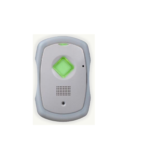
numera SSC00101 Home Ipele User Itọsọna

Oṣu Kẹta Ọjọ 2, Ọdun 2024
User Guide SSC00101 Home Hub Step by Step guide to Setting up the Numera Home Hub 4200x Minimum System Requirements: Surgard receiver (I, II, III) IP Line Card Step Milestone…

numera PERS4200x Itọsọna Olumulo Ipele Ile

Oṣu Karun ọjọ 29, Ọdun 2023
numera PERS4200x Home Hub User Guide Step by Step guide to Setting up the Numera Home Hub 4200x with: Public Switched Telephone Network (PSTN) Step Milestone Description 1 Purchase Equipment…

Numera Libris 2 Itọsọna Olumulo

Oṣu Kẹta Ọjọ 18, Ọdun 2021
Numera Libris 2 Itọsọna Olumulo Kaabo O ṣeun fun yiyan Numera Libris 2. Itọsọna olumulo yii pese alaye pataki nipa Libris 2, pẹlu Alaye Aabo Pataki. Jọwọ tunview it carefully…

Libris Aura Charging Cradle User Guide

olumulo guide
User guide and technical specifications for the Numera Libris Aura Charging Cradle (Models ACC-NUML3-CRADW, ACC-NUML3-CRAD), including regulatory compliance information.

Numera Home Hub 4200x Installation and Configuration Guide

Fifi sori Itọsọna
Comprehensive step-by-step guide for setting up the Numera Home Hub 4200x. Covers minimum system requirements, installation steps, detailed configuration parameters for cellular and IP reporting using the RA4200 software, and…

Numera support FAQ

Awọn ibeere ti o wọpọ nipa awọn itọnisọna, iforukọsilẹ, ati atilẹyin fun ami iyasọtọ yii.

  • How do I test the Fall Detection feature on my Numera Libris 2?

    A Demo Fall Detection feature can be enabled via the Numera Dealer Portal. Once enabled, stretch your arm out parallel to the ground, drop the device, and leave it for 2-3 seconds. Within a minute, it will detect the fall and initiate an emergency call.

  • What do the lights on my Numera Libris 2 mean?

    The Cellular Indicator on top shows green for a strong signal, amber for moderate, and red for poor. The Battery Indicator (around the Call Button) is green when adequately charged, amber when moderately charged, and red when the battery is low.

  • How do I activate a new Numera Libris 2 device?

    Place the Libris 2 into its charging cradle to automatically turn it on. Wait for the audio prompts indicating it is ready. Finally, press and hold the Call Button to complete a setup call with your response team, then charge it for at least 4 hours before daily use.

  • How often should I test my Numera Personal Help Button?

    Numera strongly recommends testing your equipment at least weekly to ensure the system is working properly. Press the Help Button and wait for a verbal response from your monitoring service provider to confirm the connection.