

TRT-electronics TURTLE Trigger Owner's Manual
Eyin olumulo TURTLE,
Thank you for choosing the TRT-electronics TURTLE trigger to achieve perfect TTL or manual control in your underwater photography setup. This product is designed for users who want to utilize TTL, MANUAL, or even HSS functions with their underwater strobes. The i-TURTLE 3 SMART version is compatible with both DSLR and mirrorless (MILC) cameras.
What’s in the box you purchased:
- 1 okunfa pẹlu batiri tunto fun Nikon kamẹra bèèrè
- Ohun ti nmu badọgba LED lati gbe inu window ile inu omi rẹ
- 1 USB-C si USB-C konbo USB fun siseto ati gbigba agbara
- 1 USB-C si ohun ti nmu badọgba USB-B (ti kọnputa rẹ ko ba ni ibudo USB-C)
- 1 apoju batiri
- 1 silica jeli apo lati daabobo awọn LED SMD lati ọrinrin
- Ẹran aabo 1 fun gbigbe ailewu lakoko awọn irin ajo rẹ
Ibamu: Lọwọlọwọ ni idanwo lori awọn ọna ṣiṣe wọnyi:
Nikon MILC: Z30, Z50, Z6, Z6 II, Z7, Z7 II, Z8, Z9 Nikon DSLR: D5, D4s, D4, D850, D810, D810A, D800, D750, D600, D500, D300, D300s, D7500, D7200, D7100, D7000, D90
This list may expand–please refer to the product description on our webaaye fun awọn imudojuiwọn tuntun.
Awọn iṣẹ filasi to wa:
- TTL/ Afowoyi yi pada lati inu akojọ kamẹra lakoko besomi
- Imuṣiṣẹpọ aṣọ-ikele akọkọ (TTL / MANUAL lati inu akojọ kamẹra lakoko besomi)
- Second curtain sync (TTL / MANUAL from camera menu during the dive)0
- In manual mode, HSS (High-Speed Sync) is automatically activated above the maximum flash sync speed.
On cameras where HSS manual mode is available. (Marelux, AOI, HF-1, Retra etc)
Supported strobes in TTL:
- Ikelite DS160, DS230
- Seaflash 60D, 160D
- Inon Z240 / Z330
- Sea&Sea YS-D2J, YS-D3, YS-D3 DUO
- Retra PRO X MILC
- Retra PRO MAX DSLR/MILC
- AOI Intelli Strobe (SONY settings in the strobe)
- Backscatter HF-1(SONY settings in the strobe)
- APOLLO III V2.0, APOLLO S
Bibẹrẹ
Software setup If you did not request pre-configuration, please download the Setup program. (For Windows: from the product page | For Mac: from the App Store)
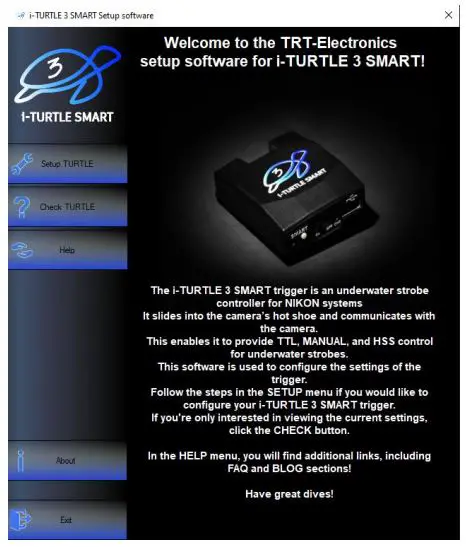
- Setup TURTLE Configure TTL strobe profiles ati Afowoyi mode
- Check TURTLE Check current settings and battery level
- Help Guides for configuration and supported strobe types
- About Information about the company and product
Ṣeto fidio: https://www.youtube.com/watch?v=UVkscXZP0QU
Awọn ilana igbesẹ-nipasẹ-igbesẹ fun iṣeto okunfa pẹlu sọfitiwia
ETO TURTLE
- Pa a okunfa

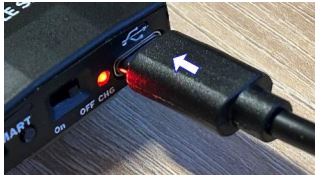
- So pọ mọ kọmputa rẹ nipa lilo okun USB ti a pese
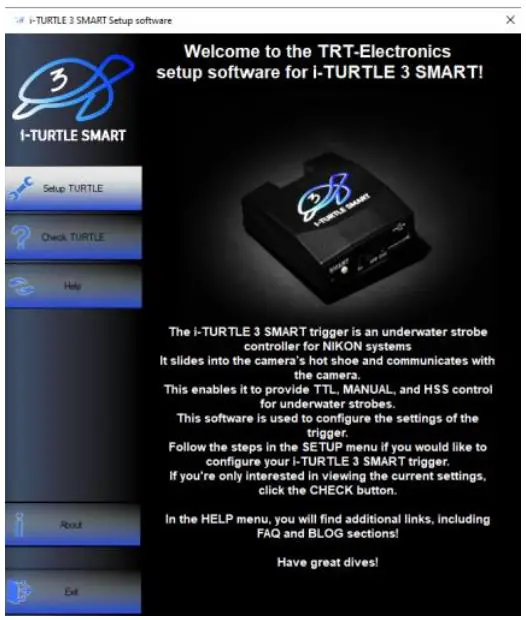
- Lọlẹ software naa ki o ṣii akojọ aṣayan “Oṣo TURTLE”.
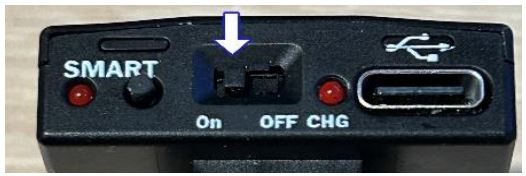
- Tan okunfa ON nigba ti a ti sopọ.
- Tẹ "Wa Port Serial", ki o si yan ibudo COM keji ni sisọ silẹ.

Ti awọn ẹrọ pupọ ba lo awọn ebute oko oju omi COM foju, gbiyanju awọn oriṣiriṣi ti o ba nilo - Yan TTL strobe profile o fẹ lati lo

- In the next menu, configure the Manual Mode:

Manual mode offers a basic manual flash option, which can be activated from the camera’s menu. In this mode, the camera will emit a single flash, and the trigger handles it accordingly. However, the TURTLE trigger is capable of much more.
- 1.MANUAL: Trigger forwards either 1st or 2nd curtain flash from the camera.
- 2.STROBOSCOPE: Advanced users can set multiple flashes within a single exposure (1/102s interval).
Stroboscope mode explanation: https://www.youtube.com/watch?v=jPMbL5A6AQg
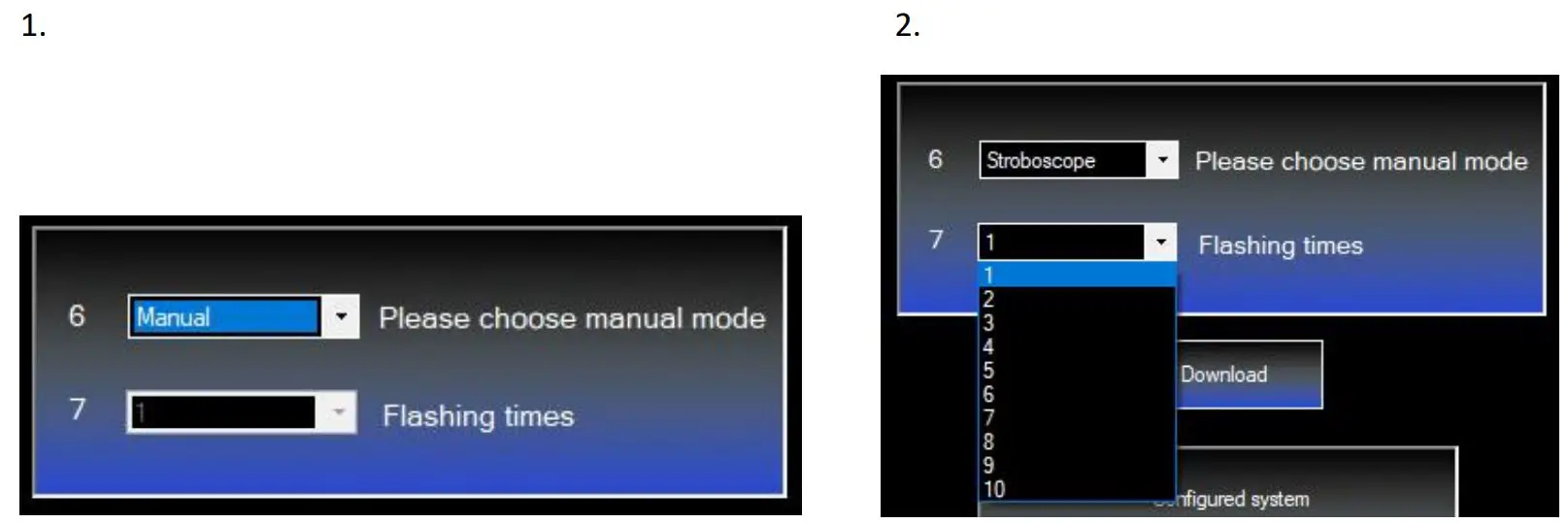
8 . Click “Download” to upload the settings to the trigger. You’ll see confirmation in the lower info window.

WO TURLE
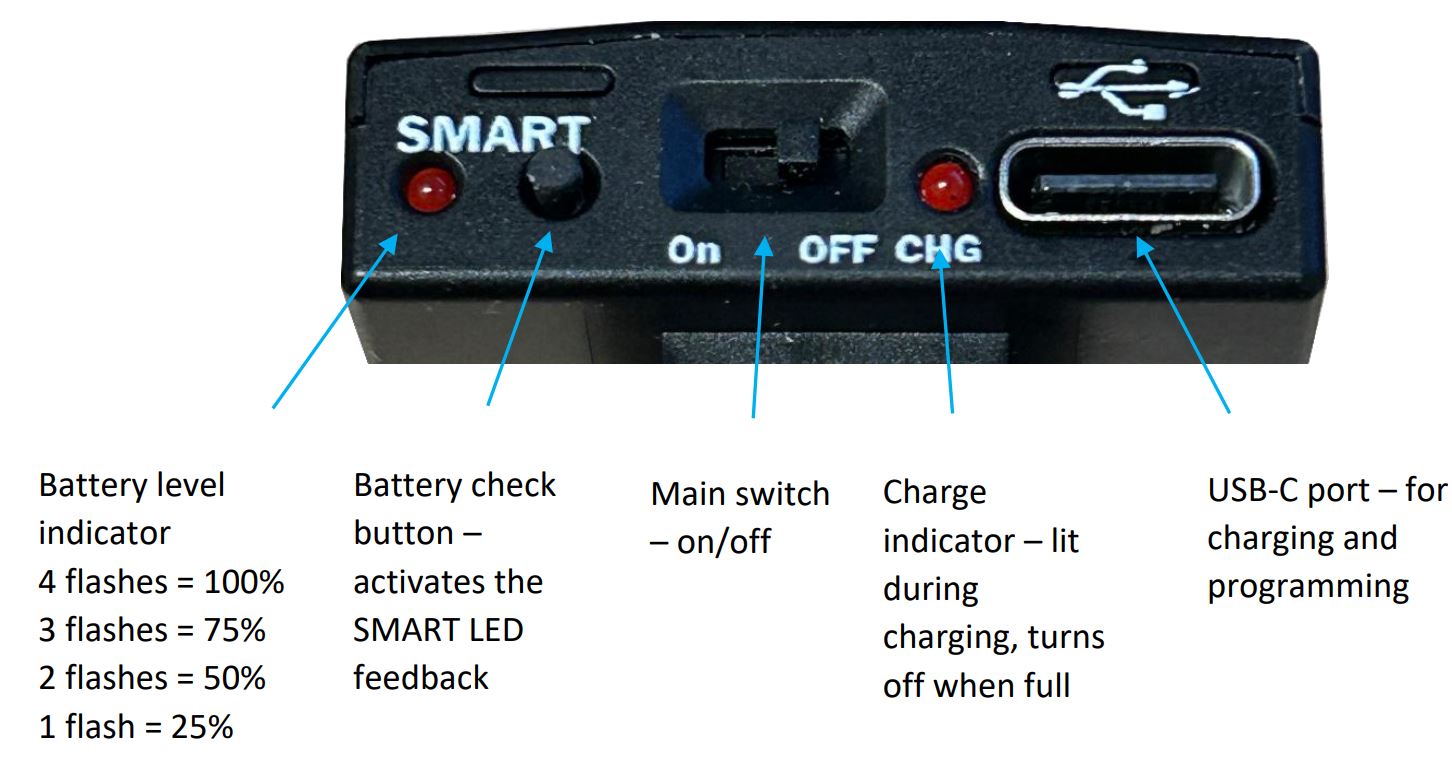
If you want to check the battery level, there are two options: You can either press the small button on the back of the trigger a few times until it starts flashing — we’ll cover this in more detail later — or you can check it in the setup software under the CHECK TURTLE menu
Repeat steps 15, then click the “Setup Checking” button. The info window will show the selected strobe and the battery level.

Hardware ti pariview
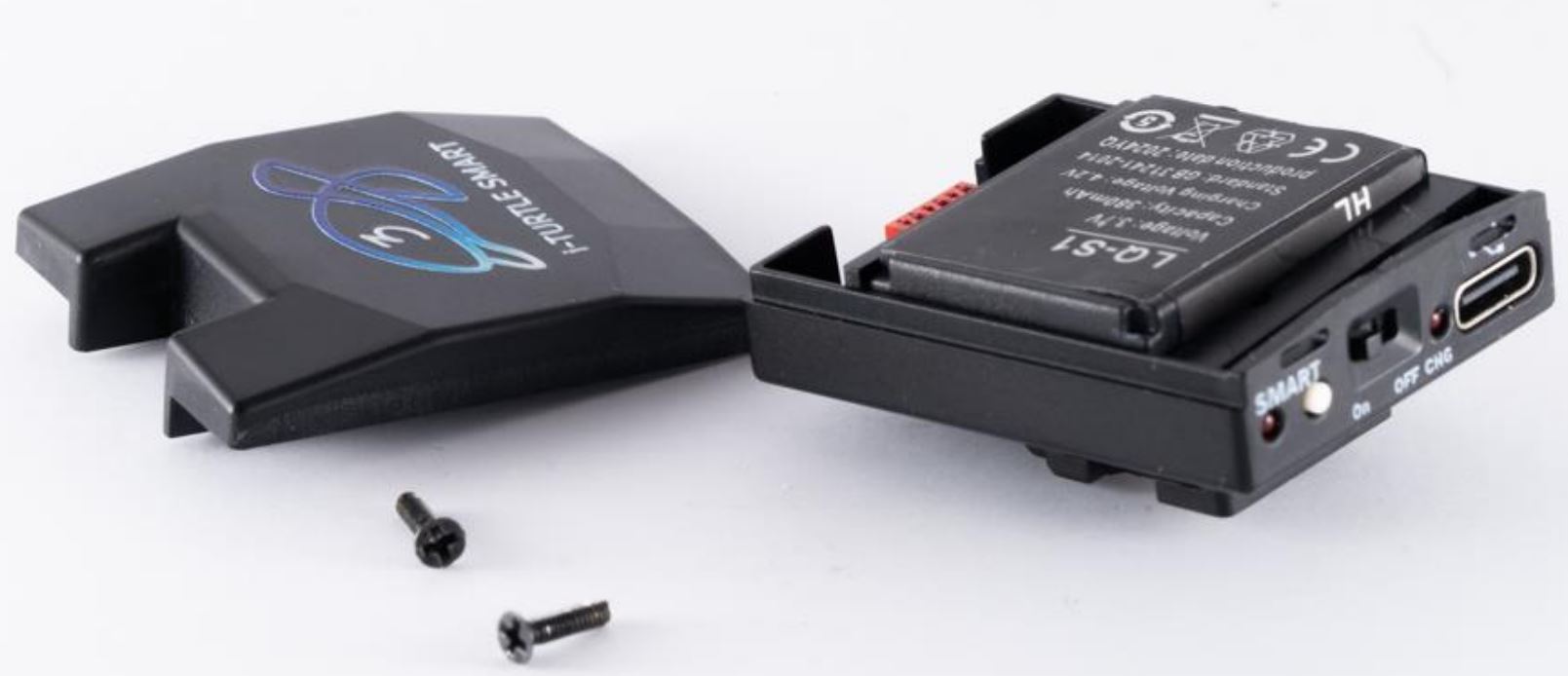
1. Batiri
This is the first TTL trigger on the market with a user-replaceable battery. It uses a standard LQ-S1 battery (commercially available), but only one specific type is compatible–please check connector type before purchasing.

Batiri yii le pese agbara fun isunmọ awọn iyaworan 6000, ti o ro pe ipo oorun kamẹra ti ṣiṣẹ.
If sleep mode is not enabled and the camera remains active continuously, the battery may discharge within 5 days. Battery capacity and charge level can be checked via the software, but you can also get feedback by pressing the SMART button on the back of the i-TURTLE 3 trigger.
O gba ọ niyanju lati paa kamẹra ni akọkọ, lẹhinna yi iyipo agbara ni TURTLE (pa ati tan lẹẹkansi). Awọn okunfa le wa ni asopọ si kamẹra.
Lẹhinna, tẹ bọtini naa ki o ṣe akiyesi nọmba awọn filasi LED ni isalẹ aami SMART lati pinnu ipele batiri naa.
Battery replacement video: https://www.youtube.com/watch?v=x1hy1vVInBw
2. Strobe connector:
If you need a wired solution for your underwater setup, we can provide various connector types where the Xtrigger, Quench, and GND lines are exposed.
Nipa aiyipada, ti a nse opitika solusan.
Iṣẹ ṣiṣe TTL jẹ iṣeduro nikan nigba lilo awọn LED ti a pese nipasẹ wa.

3. Rear buttons & indicators
Atilẹyin ọja:
The product comes with a 2-year manufacturer’s warranty. Shipping costs for returning a faulty product are not covered by the warranty.
A fẹ ki o dives nla ati fọtoyiya aṣeyọri!
Awọn iwe aṣẹ / Awọn orisun
 | TURTLE Nfa |
Awọn itọkasi
- youtube.com/watch?v=jPMbL5A6AQgwww.youtube.com
- youtube.com/watch?v=UVkscXZP0QUwww.youtube.com
- youtube.com/watch?v=x1hy1vVInBwwww.youtube.com
- Itọsọna olumulomanual.tools